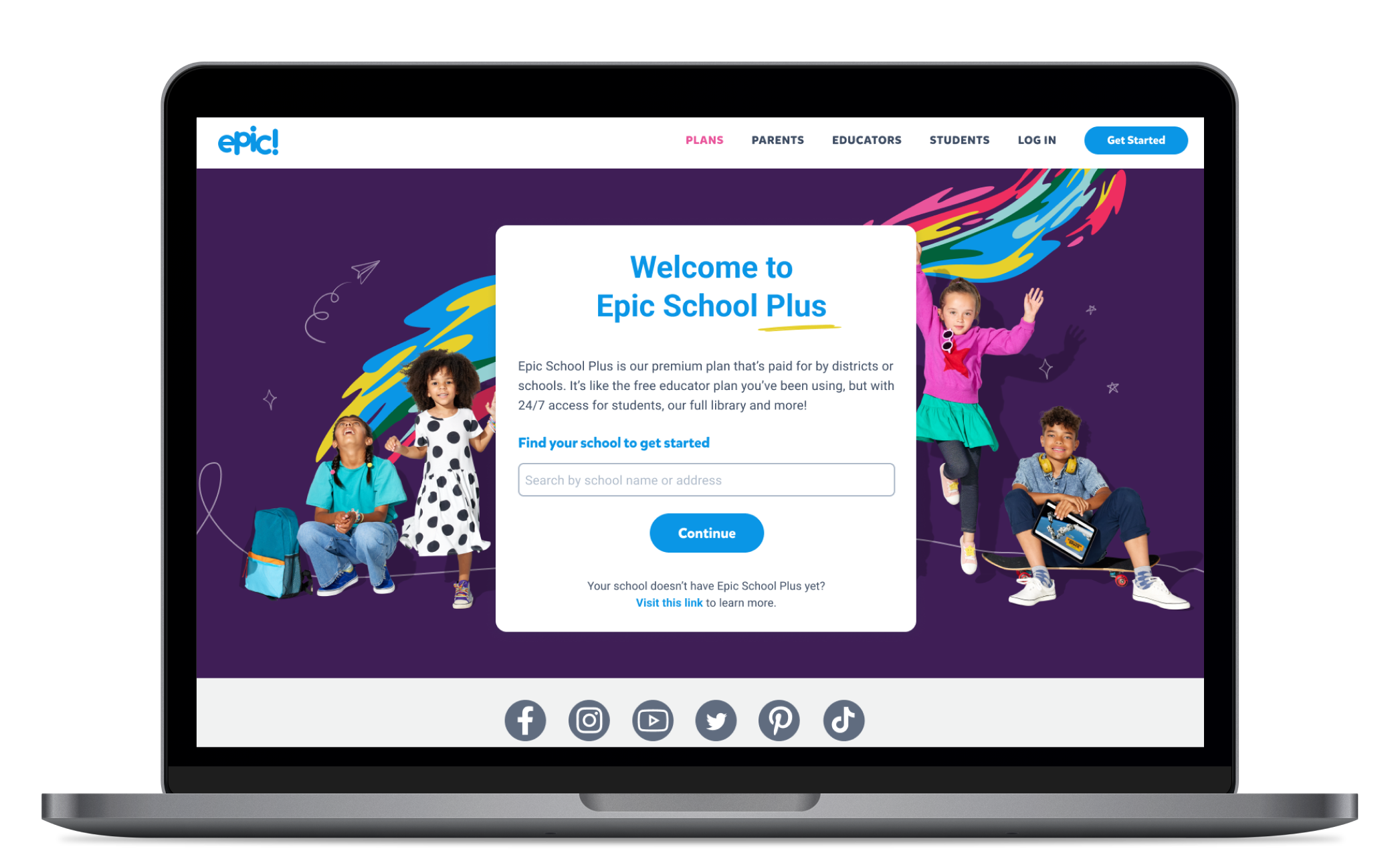
Epic School Plus Onboarding

The goal of this project was to launch a paid B2B app that's valuable and easy to access for teachers.

My Role

Lead Product Designer

Worked With

Product Manager
Eng Lead
UX Research
Sales

Platforms

Web
iOS
Android

Timeline

3 Months

Background

Epic School is a beloved app among teachers and students, providing 100% free access to a digital library of books during school hours.

With 8M monthly active users and usage in 80% of U.S. elementary schools, we identified a business opportunity to introduce a paid version, Epic School Plus.

The total addressable market for a paid version could exceed $100M, potentially doubling our entire company's revenue.

Teacher Kelly

I'll be focusing on teachers, because they're the main users of the app. Even though the district leader is the one who will be paying the bills, the teacher is the one who tells the district leader what types of apps they need, and they are the ones who engage their students with Epic.

Teacher Kelly loves working with her students and it's her favorite part of the day. She works long hours and is very busy. She's not very tech saavy and it takes time for her to learn new software. She wants to maximize her time working with her students and wants to spend less time with admin responsibilities.

Problem #1

How might we design a paid experience that offers enough value for teachers?

Research

In order to tackle this first problem, we researched what limitations and pain points teachers were currently facing with Epic School. I looked through the last 6 months of customer service tickets and the main pain point was around having limited access to the app (only between the hours of 7am and 3pm). We also validated this feature idea by speaking with teachers and district leaders.

Teacher Quotes

"A simple adjustment to have Epic available until 3:30pm would provide the access we need, especially to help struggling learners to get the extra support that they need. I know that if I started a petition in our division I would get MANY teachers who would sign, as they feel the same frustration."

Henry, Age 55

Elementary School Teacher

"My last dyslexia class for the day is from 2:48 - 4:15. I need time past 3 for my students to access their accounts. Teacher accounts should be extended based on school schedule or push the time from 3 to 4."


Lisa, Age 37

Elementary School Teacher

"My kids love Epic books and I'd love to be able to assign them as after school reading homework. It'd be great to extend access time to at least 8pm in the evening."

Billy, Age 57

Elementary School Teacher

Human Problem

Teachers were frustrated with access being restricted to only school hours (7am-3pm). Some schools ended past 3pm, had classes after school or were unable to assign take home reading homework.

Development

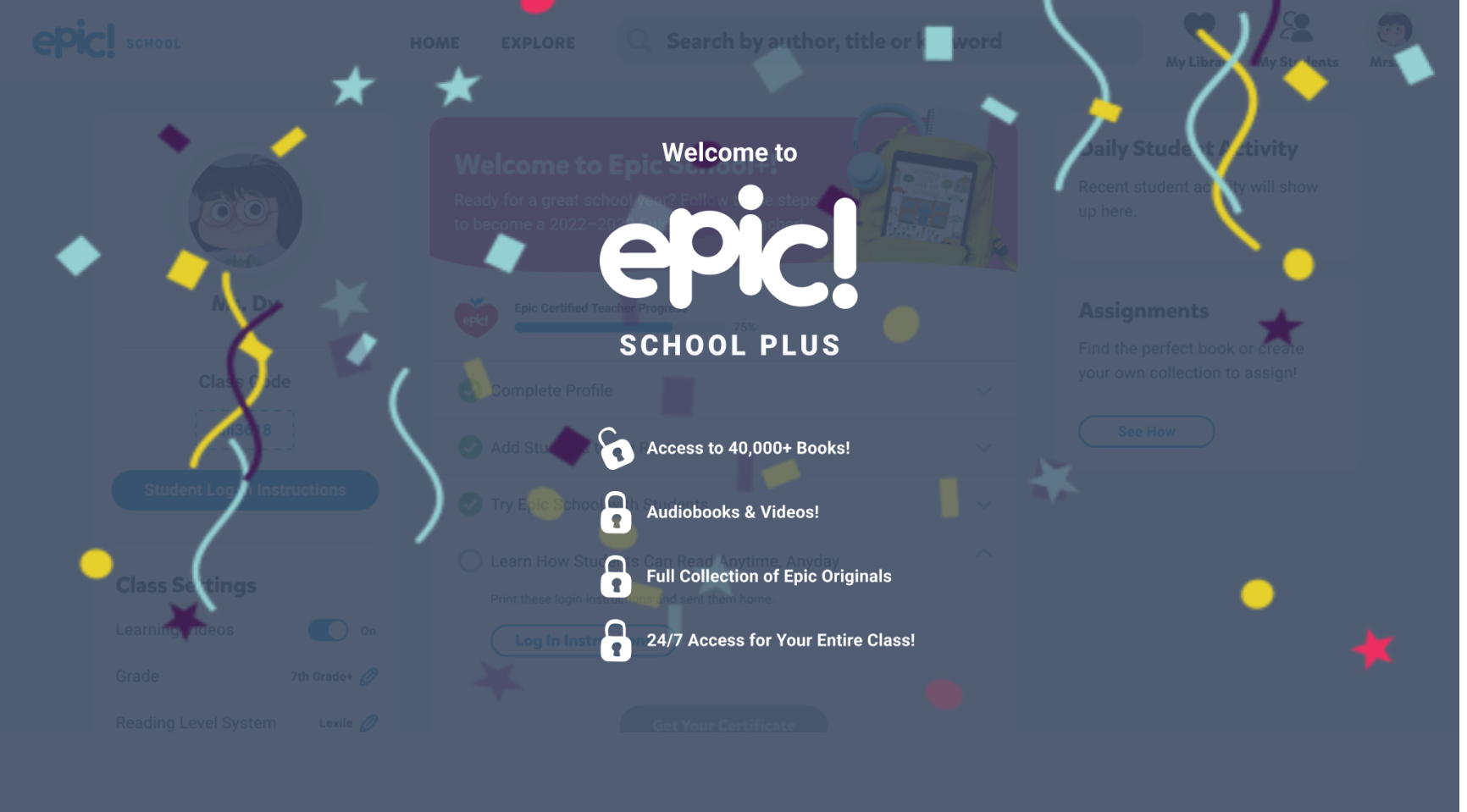
We decided that the main feature for Epic School Plus would be to enable 24/7 access to our app. It was mainly on the development team to enable 24/7 access, but I did need to figure out how to help teachers access this paid plan. This then brings us to our next problem.

Problem #2

How might we help users easily access Epic School Plus?

Challenges and Considerations

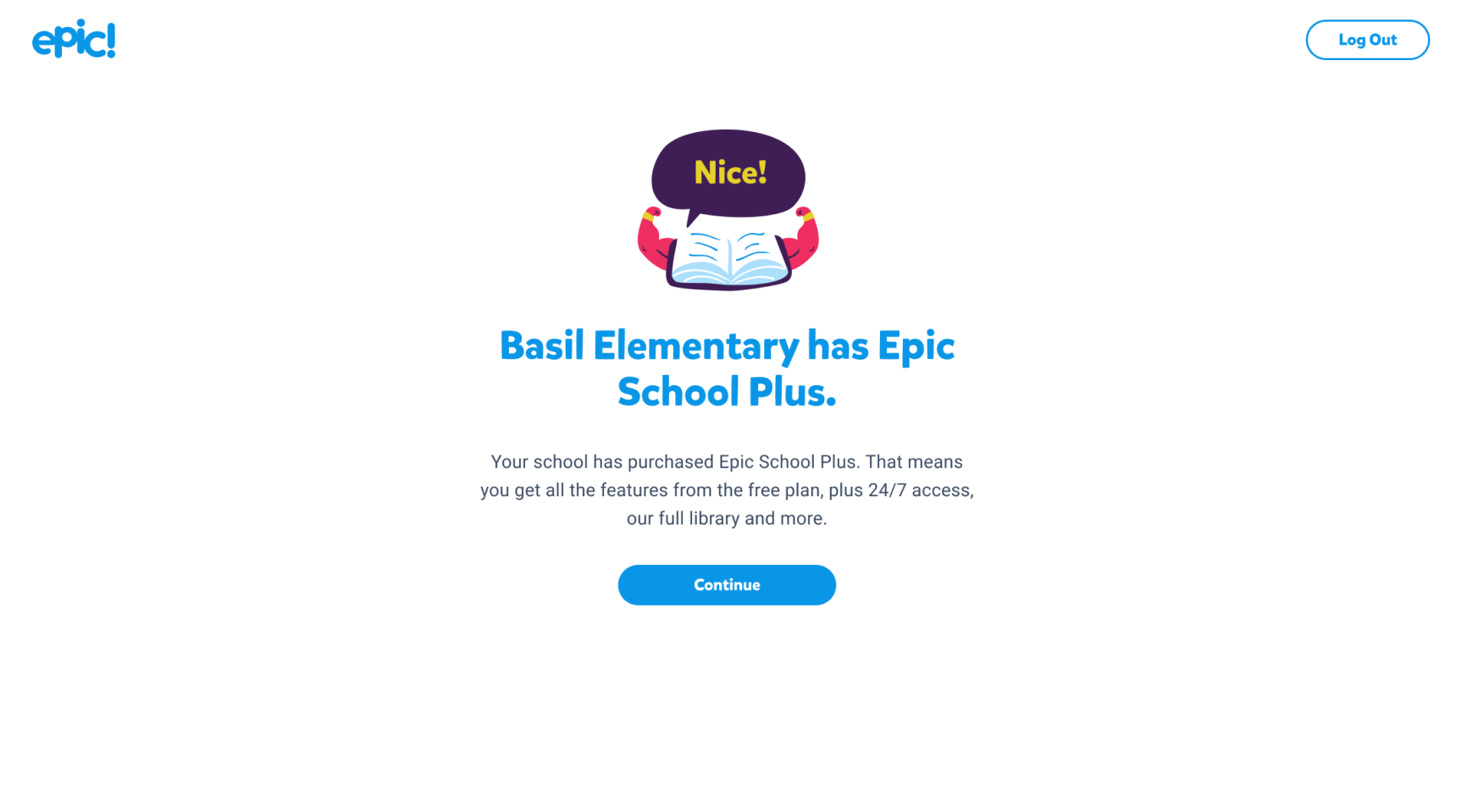
Teachers like Ms. Kelly need a hassle-free and seamless experience when trying to access Epic School Plus to avoid losing valuable teaching time.

We need to account for the different user types ie. brand new users, repeat users, existing free account users who need an upgrade and downgraded users.

The solution needs to be scalable to accommodate potentially millions of users with minimal disruption.

We need to make sure we structure the account so that student data stays within a single school district.

Mapping Out the Steps

Here are the steps from when a district signs a contract to when teachers create an account or logs in to Epic School Plus.

Flow Diagram

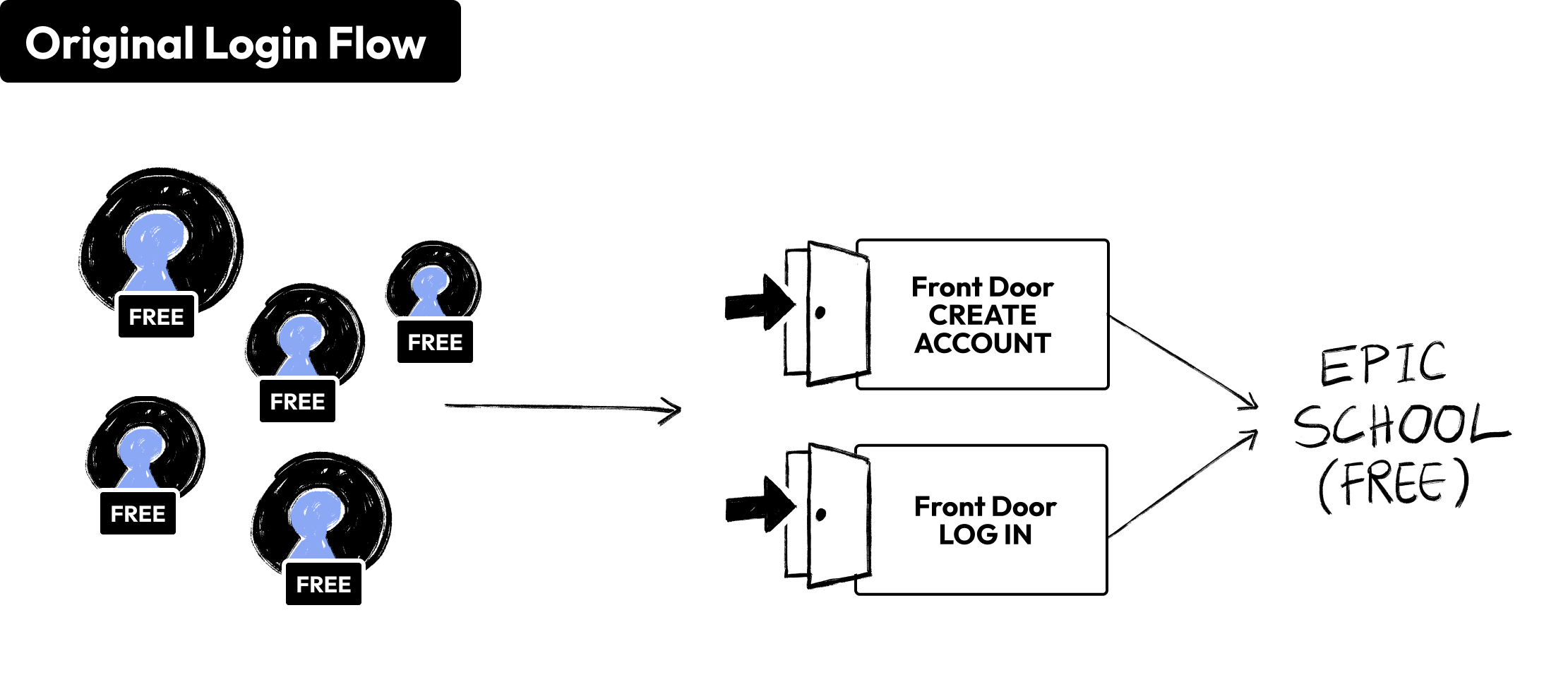
We decided to create a self-service account creation experience that integrated into our existing account creation and login flow for Epic School (free). Below is our original flow before we introduced Epic School Plus.

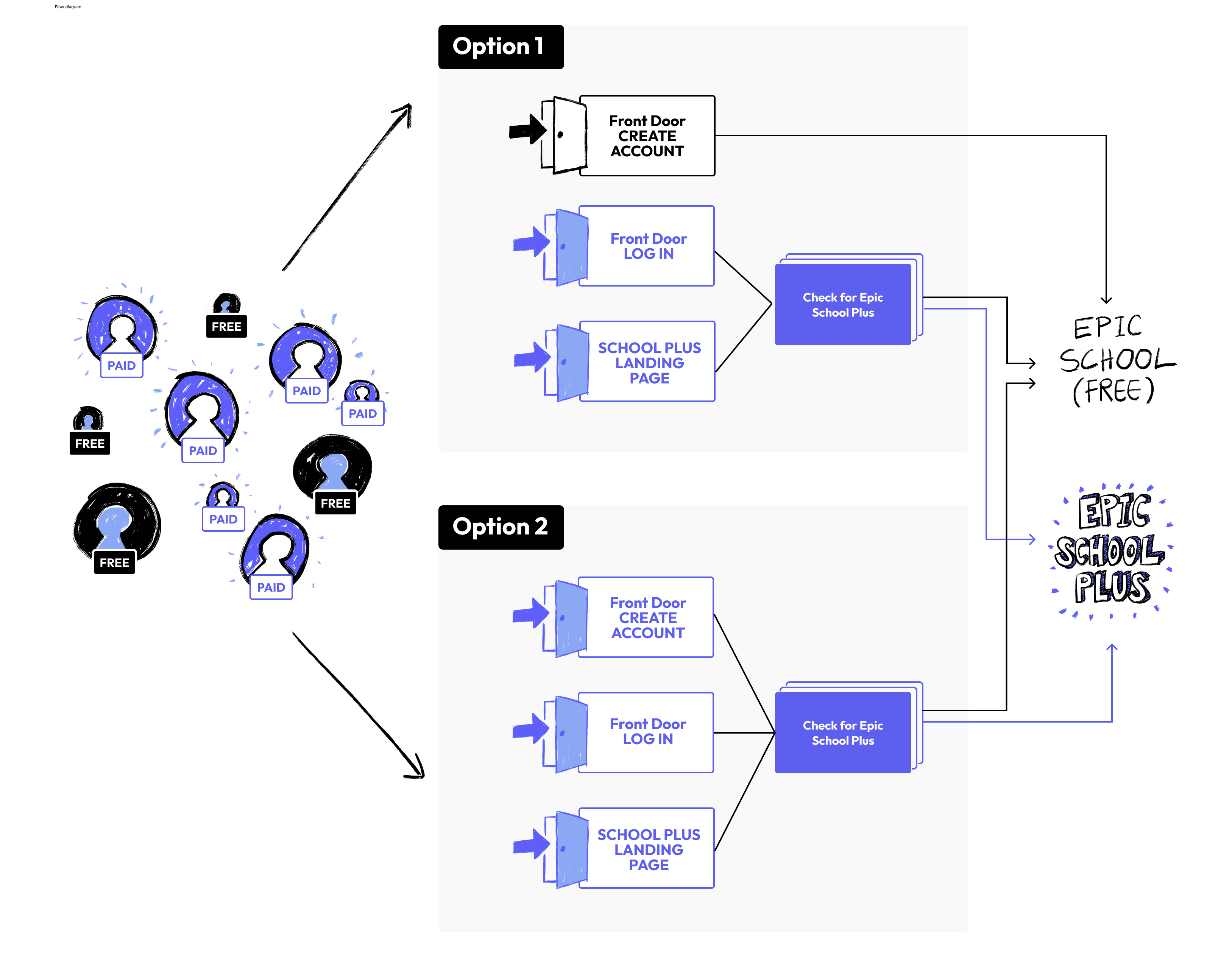
The following are two approaches we were debating. Option #1 didn't check if new users creating an account via our front door were Epic School Plus users, while option #2 did.

Option 1 would be easier from a development standpoint but could result in a poor experience for teachers. This option relied on district administrators to forward the welcome email to all their teachers. However, previous interviews with teachers revealed that communication with administrators was not always reliable. There was a risk that teachers might not receive the welcome email, and even if they did, it could be overlooked. Therefore, we decided to go with Option 2.

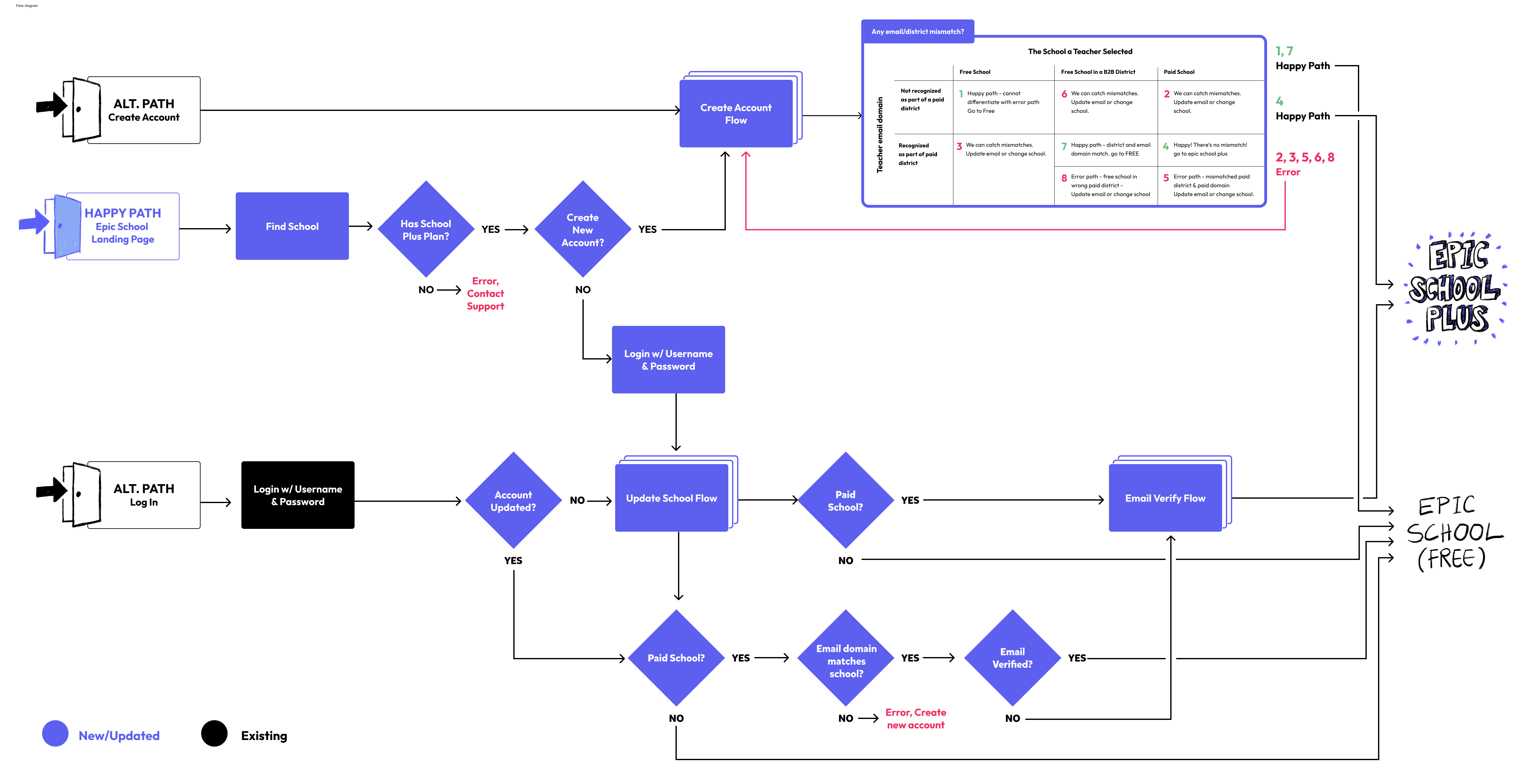
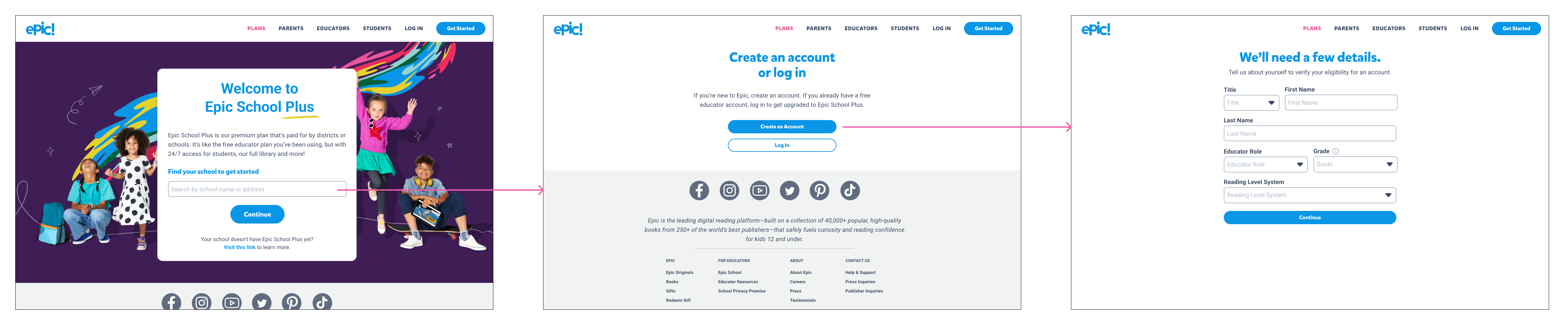
Here is the high-level user flow of Option 2.

Validating School Plus Users

When teachers first create an account or sign in, we needed a way to differentiate between Epic School (free) and Epic School Plus users. After researching methods used by other ed tech apps and weighing the pros and cons of various solutions as a product team, we decided to go with the approach of checking the teachers' email domain and selected school. From research, we knew that most teachers were provisioned an email domain that was specific to their school district.

We chose this approach because it was the most favorable from a business perspective when negotiating app purchase prices with schools during contract renewal periods. It meant keeping access as open as possible, allowing any eligible teacher to access our app.

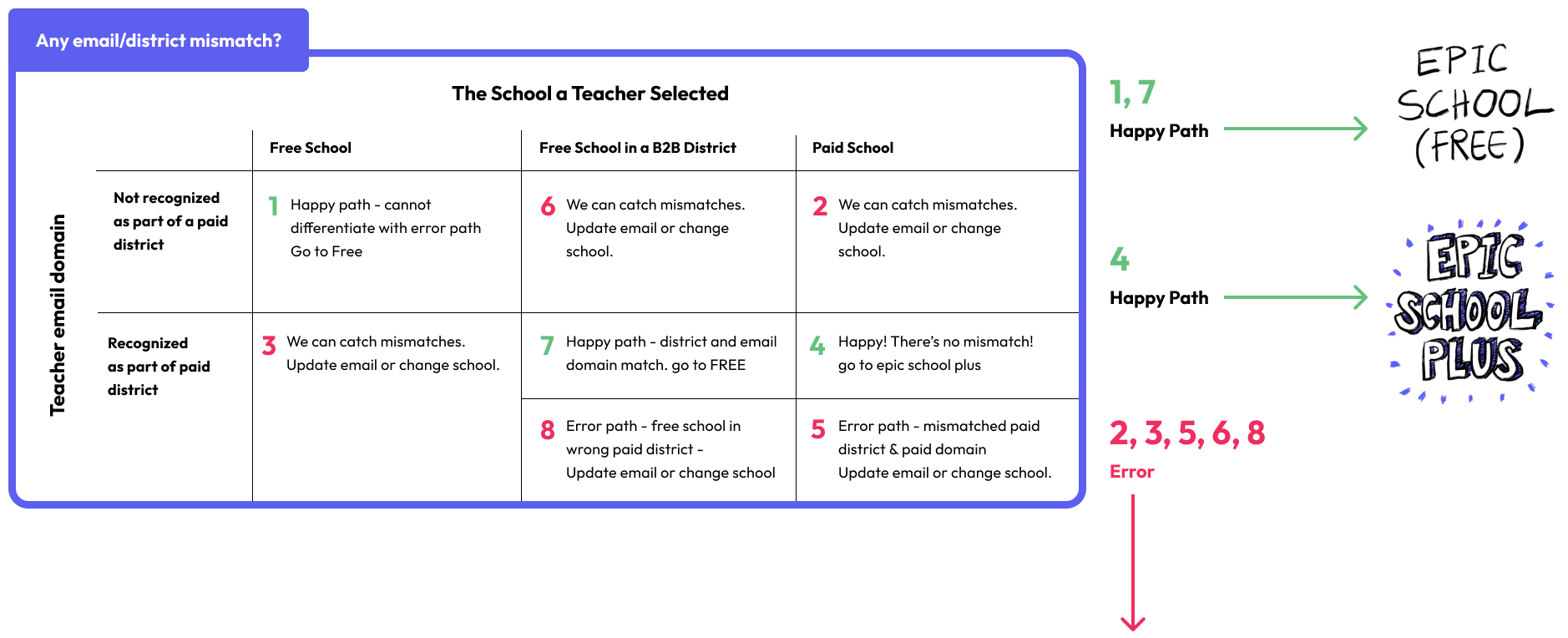
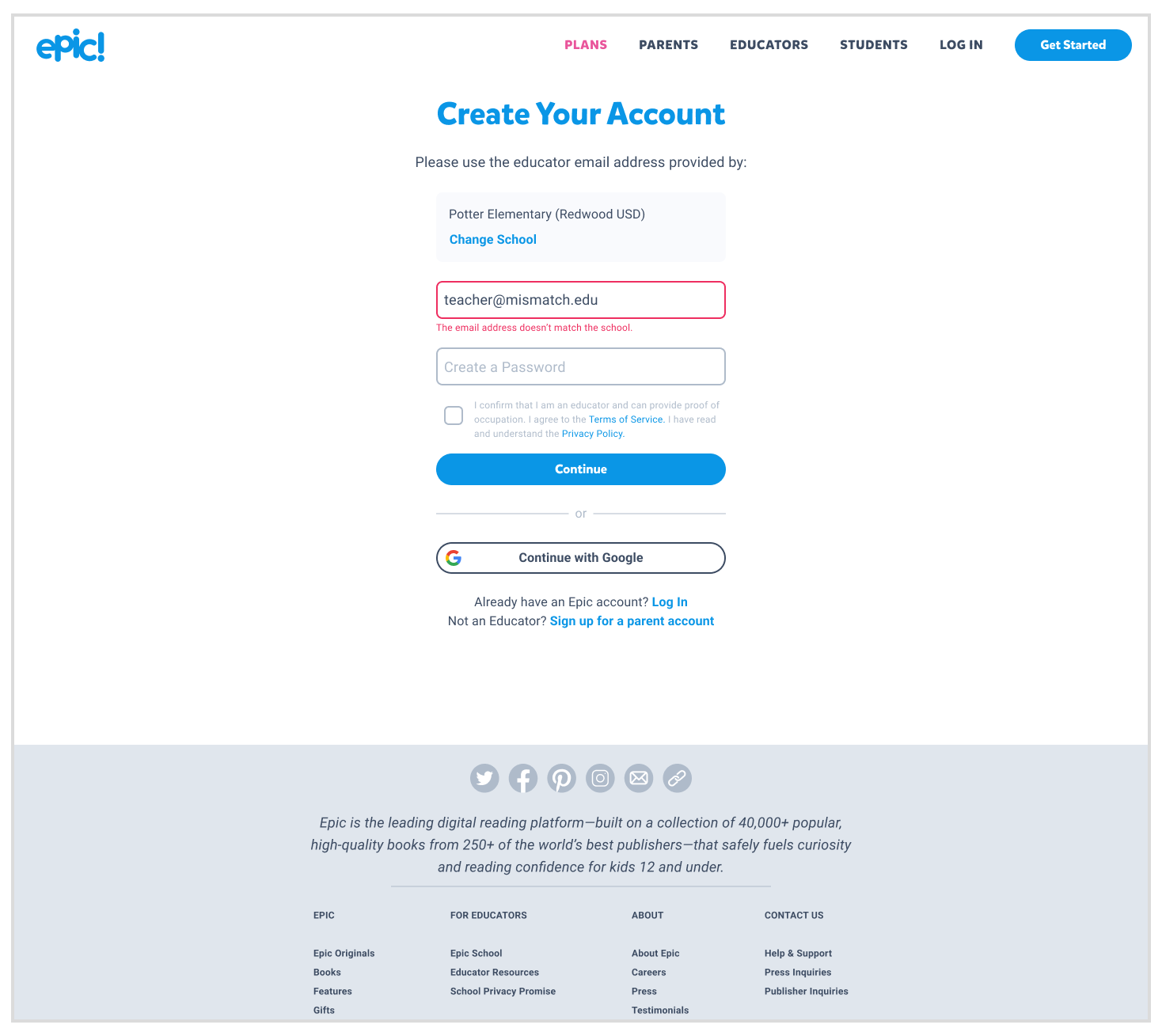
The following is a matrix that illustrates all the possible happy and error path outcomes when looking at the email domain and selected school.

Testing & Discoveries

I designed the new flow using a combination of existing patterns and brand new screens. I wanted to not only test usability of the design but also the existing functionality, so I tested a very early stage build with teachers.

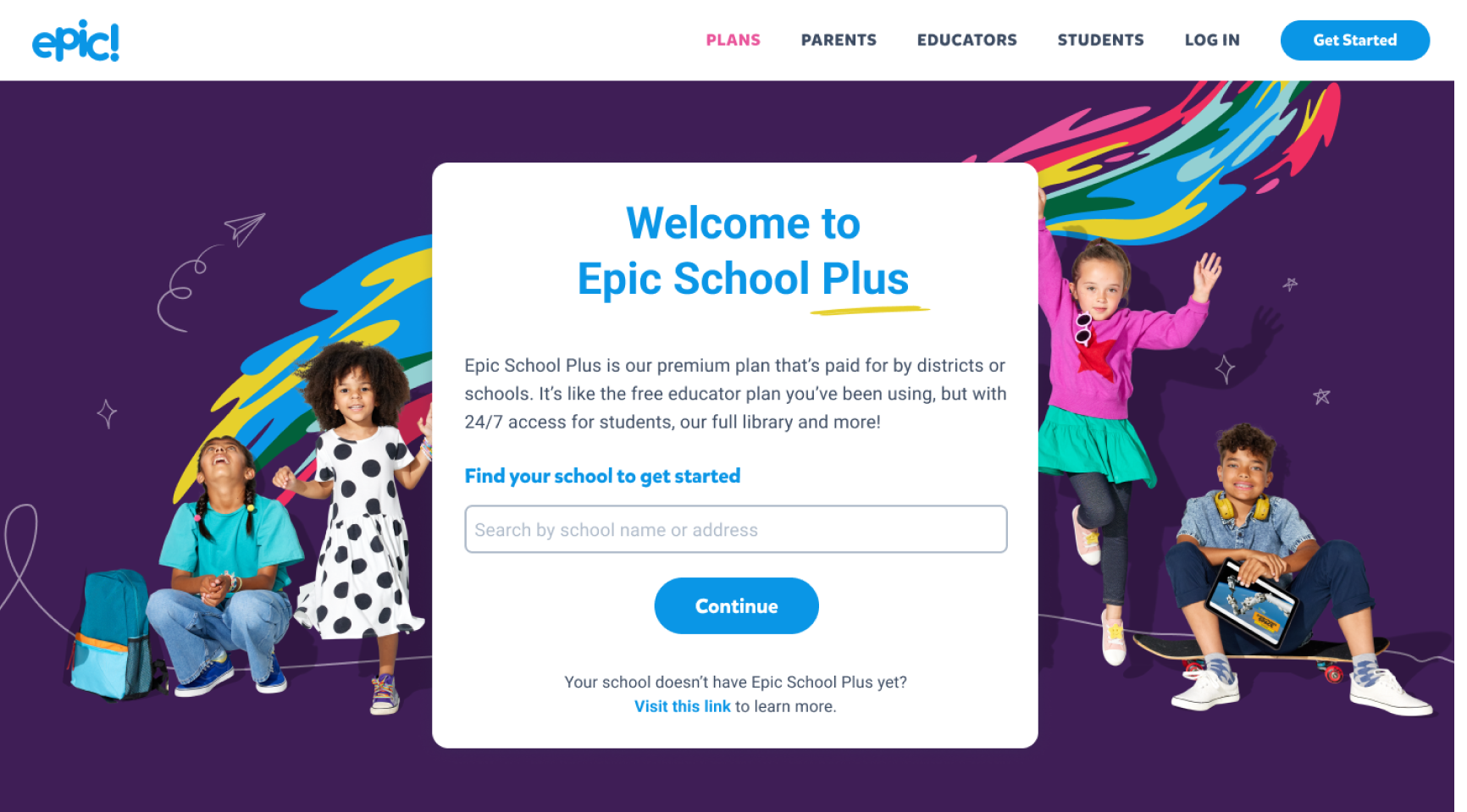
From user testing, I discovered that 4 out of 5 users were unable to find their school from the input field and were stuck on the first step. Upon investigation with the development team, we found that the search field was extremely rudimentary and rigid, relying solely on a string query. If a teacher didn't use the exact wording, including abbreviations as listed in the database, or made any punctuation or spelling errors, they couldn't find their school.

This was a significant discovery that would greatly impact the user experience. After brainstorming with the development team and weighing the pros and cons of various solutions, we decided to update the string query search to Elasticsearch.

Results

We hypothesized that offering 24/7 access as the main feature of our MVP launch would help us raise at least $70k. In reality, we raised 33 times that amount, reaching $2.5M.

Our goal was to onboard at least 7.5k users to consider the user onboarding a success. We ended up onboarding 266k users which was 35 times more than what we expected.

To measure how easily teachers could access our app, we set a goal of keeping support tickets under 100 per week for the first three months post-launch. We averaged fewer than 21 tickets weekly.

Next Steps

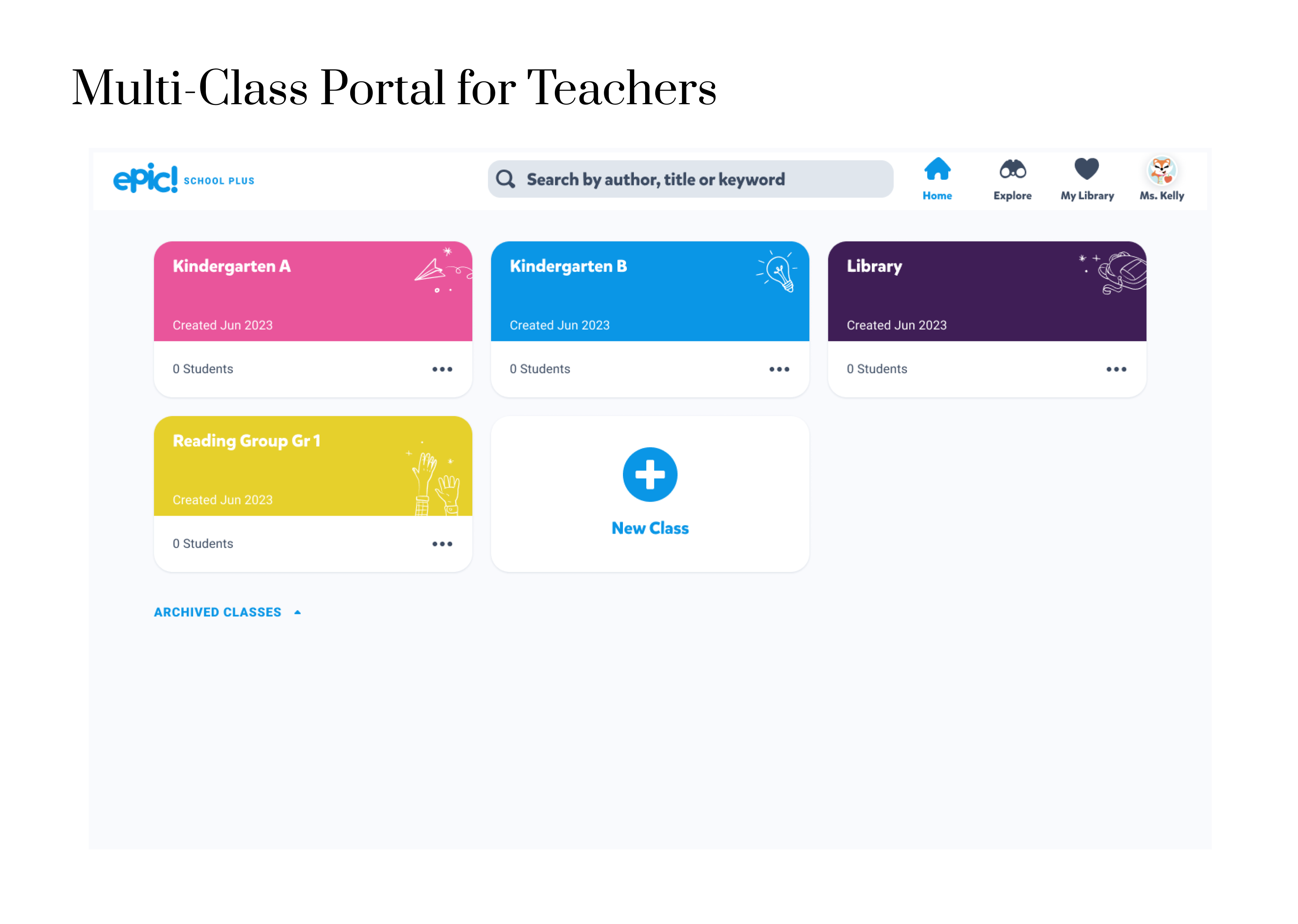
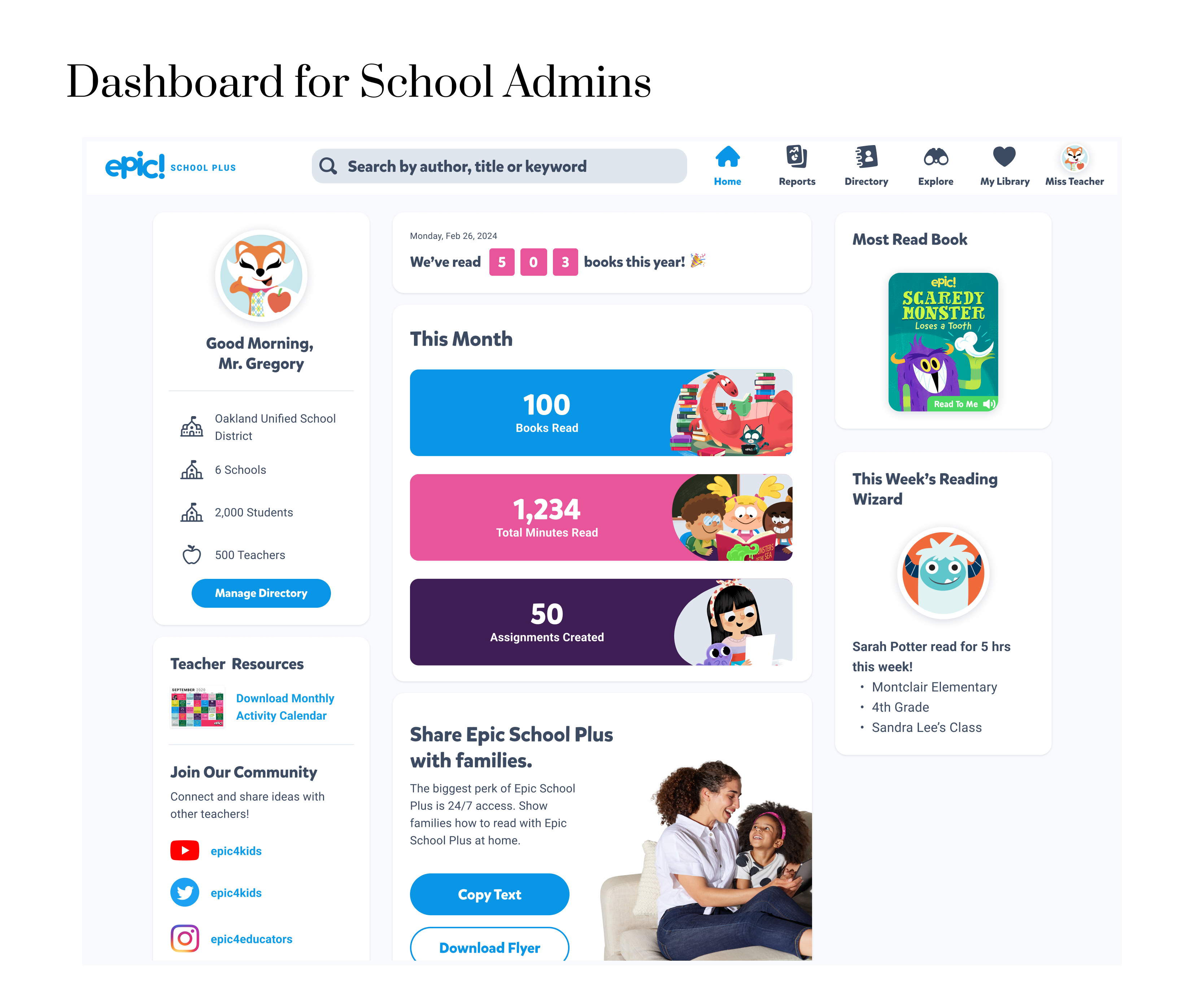
Our next major step is to develop the features for our phase 2 launch. With the MVP, we promised customers additional features to enhance the app's value, including a new feature set for the school administrator and an integration with Clever (a SSO and rostering app).

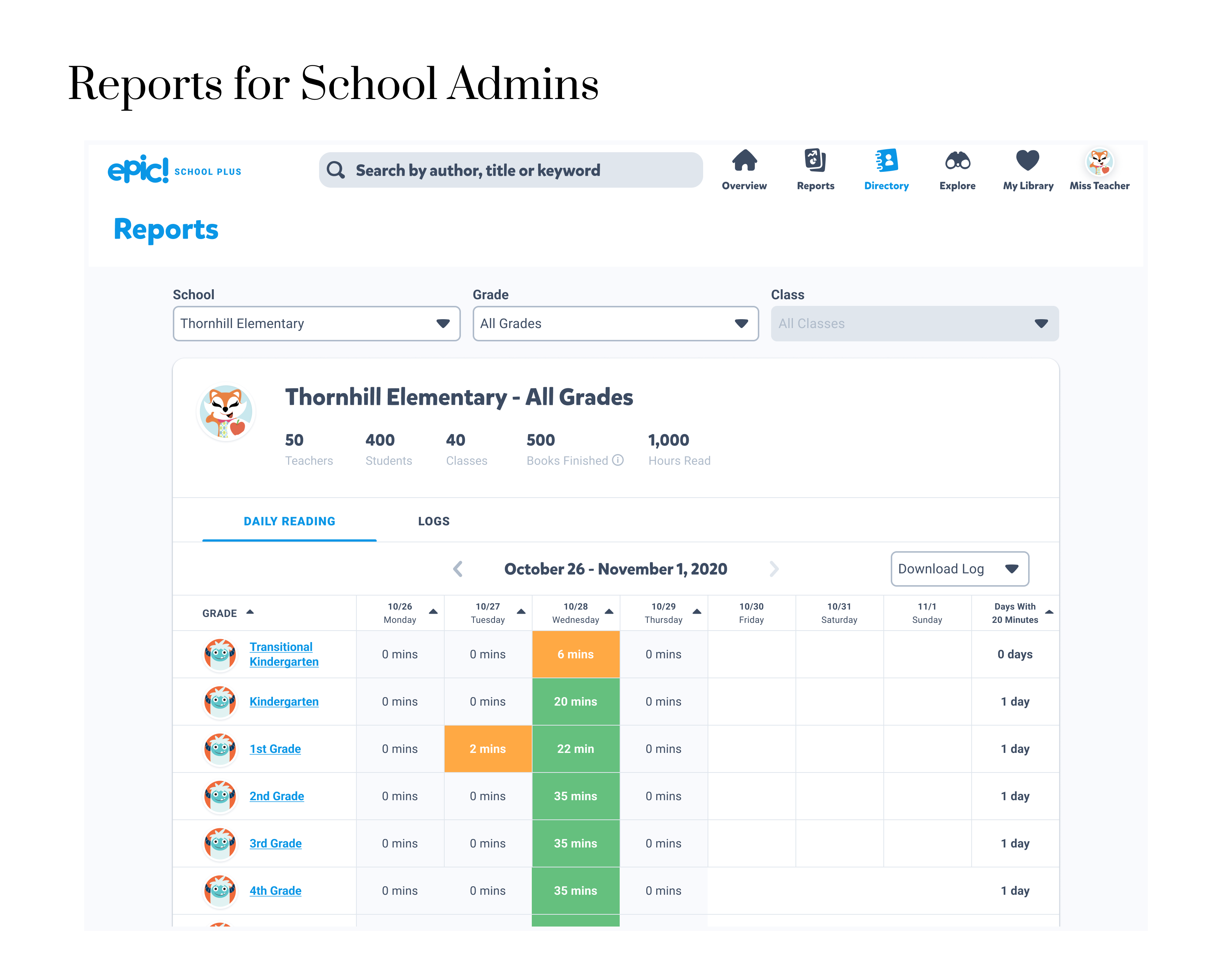
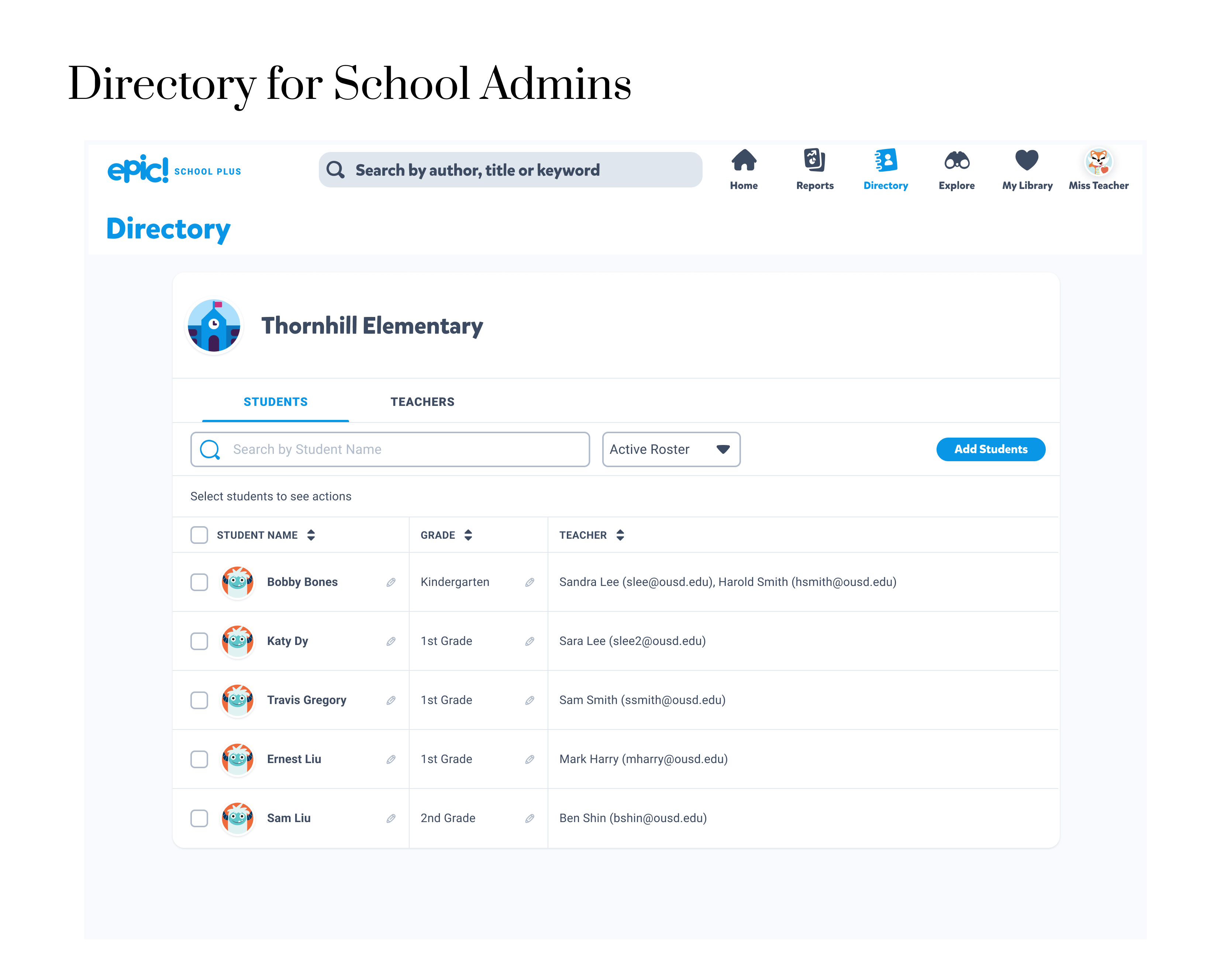
Here is a sneak peek at some of the designs that have been started for this initiative.