

Epic School Plus
Multi-Class

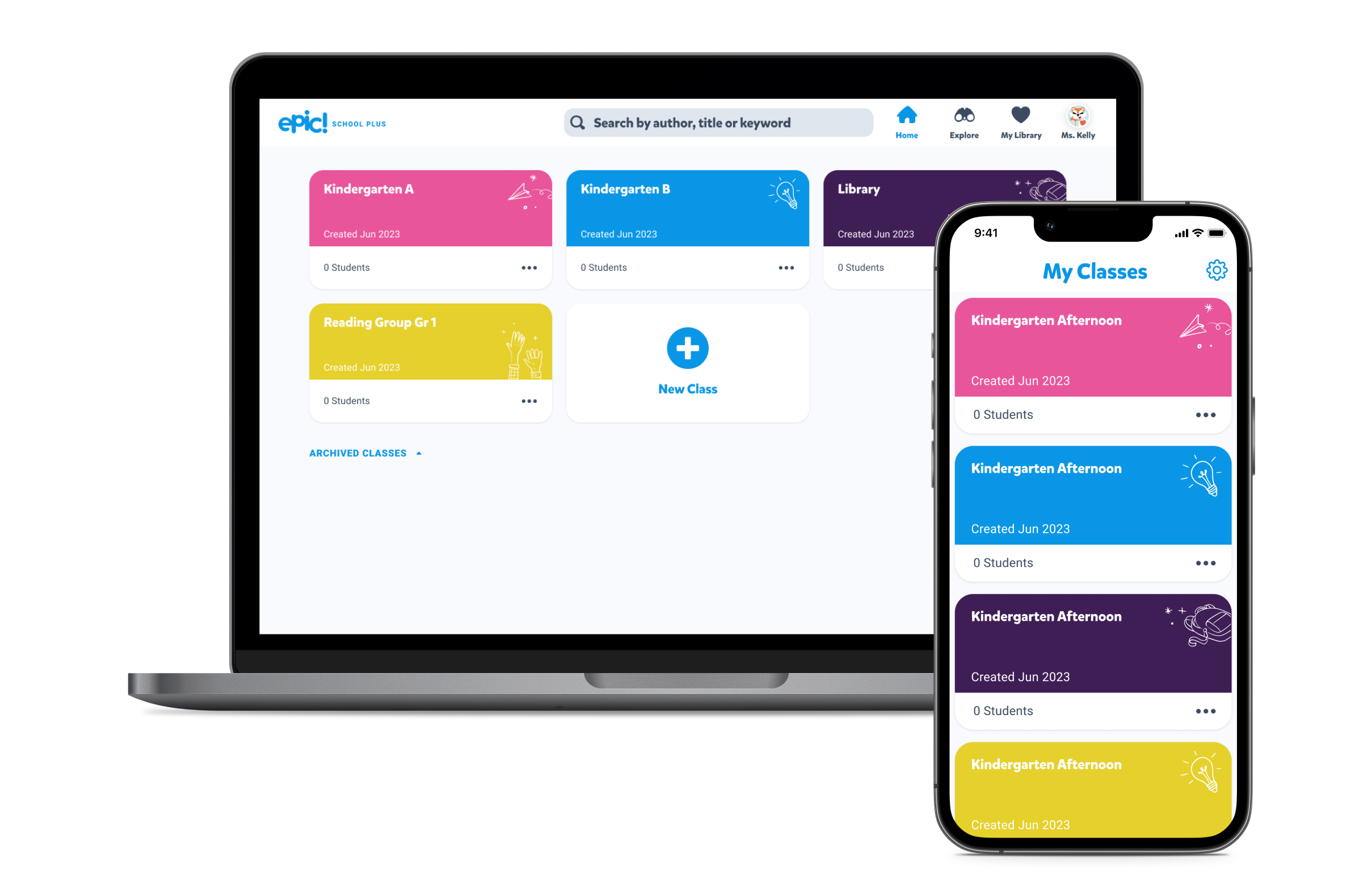
The goal of this project was to help teachers create more than one class in Epic School Plus.

My Role

Lead Product Designer

Worked With

Product Manager
Eng Manager
Backend Eng
UX Research

Platforms

Web
iOS
Android

Timeline

3 Months

Background

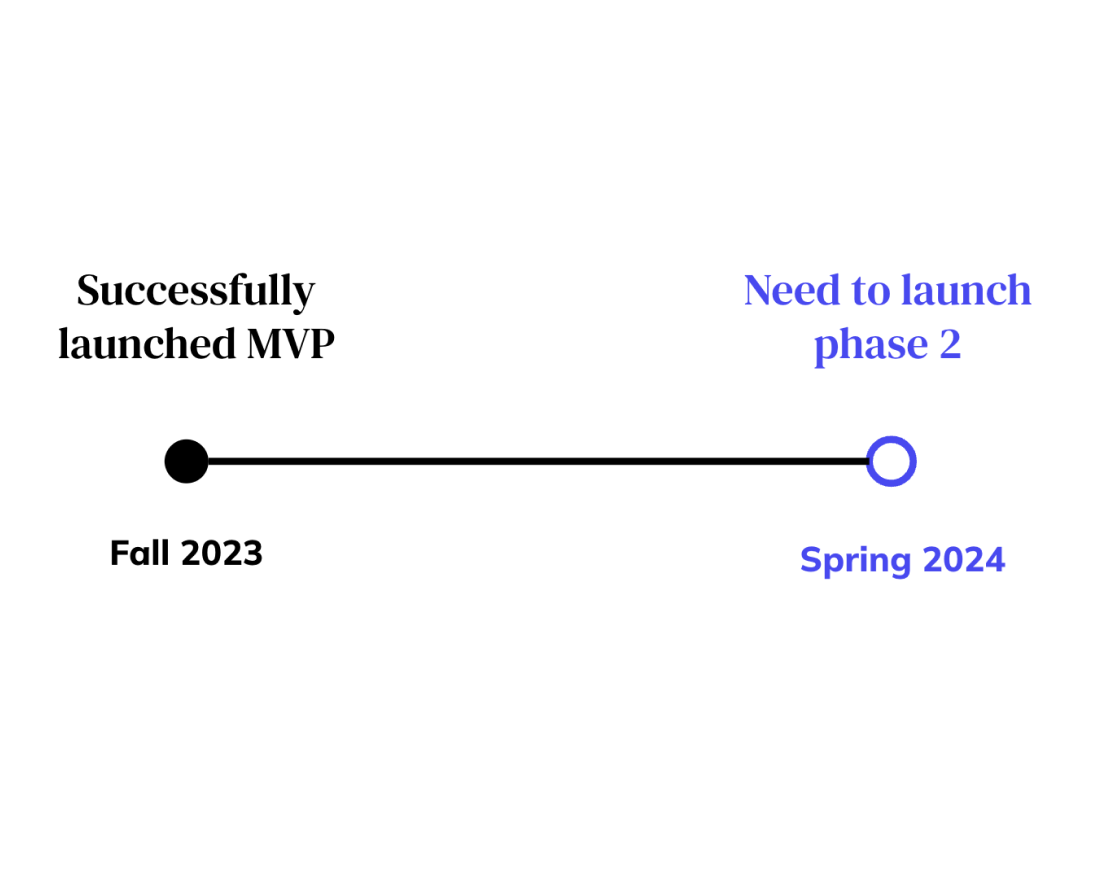
Launched Epic School Plus

We recently launched our first B2B app called Epic School Plus. We managed to onboard 266K users and raise $2.5M in the first quarter.

next phase features

Epic School Plus customers signed deals with an understanding that we would follow up our MVP launch with phase 2 features that addressed more teacher needs.

Teacher Ben


Teachers are the main users of the app, so for this case study, we'll be focusing on them. Meet teacher Ben. He teachers one kindergarten class and two after school reading classes. He's a fan of Epic and has been using it for the past few months.

Research

Digging into user pain points.

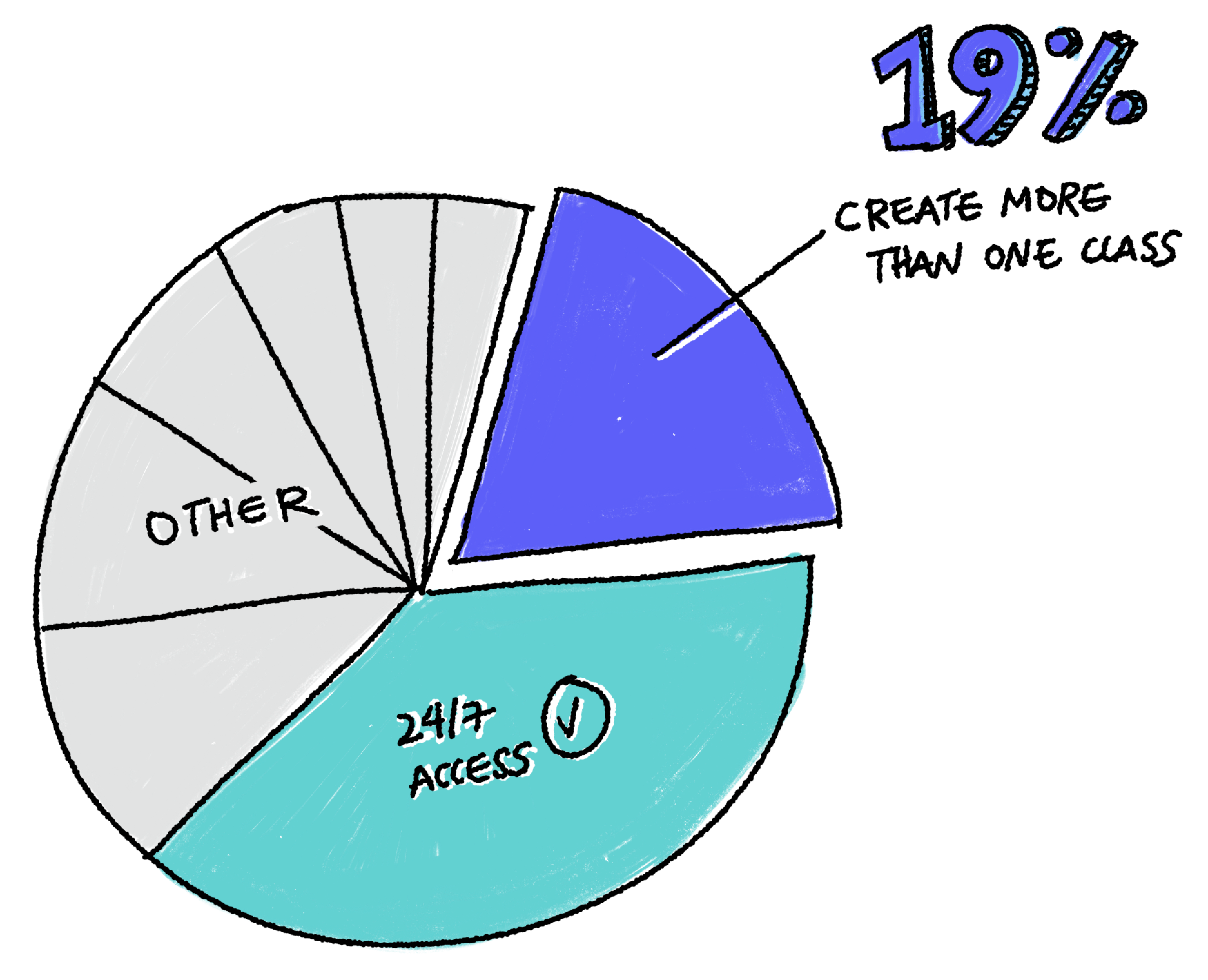
In order to identify a valuable phase 2 feature, we researched what limitations and pain points teachers were currently facing with Epic School (free). From customer service tickets, I found that  a large number of customers wanted to create more than one class in Epic. We also validated this feature idea by interviewing with teachers.

Teacher Quotes

“I have multiple classes and can only have one class in Epic… I combined all my classes into one, but it’s hard for kids to find their name when they log in when there are so many names (especially my kindergarten kids).”

Catherine

Elementary School Teacher

“...it would be much easier to have multiple classes in Epic so I can see individual class scores and because they are in different grades, being able to set different levels for different classes would be very helpful.”

David

Elementary School Teacher

“I have five sections of middle school ELA. I cannot use Epic because it will only let me create one class. I will not be able to use Epic until it will allow me to import multiple classes.”

Sue

Elementary School Teacher

Human Problem

A lot of teachers had more than one class. Their current work around is to combine all of their classes into one, which is leading to a poor user experience. They'd like to have separate classes by grade.

Business Need

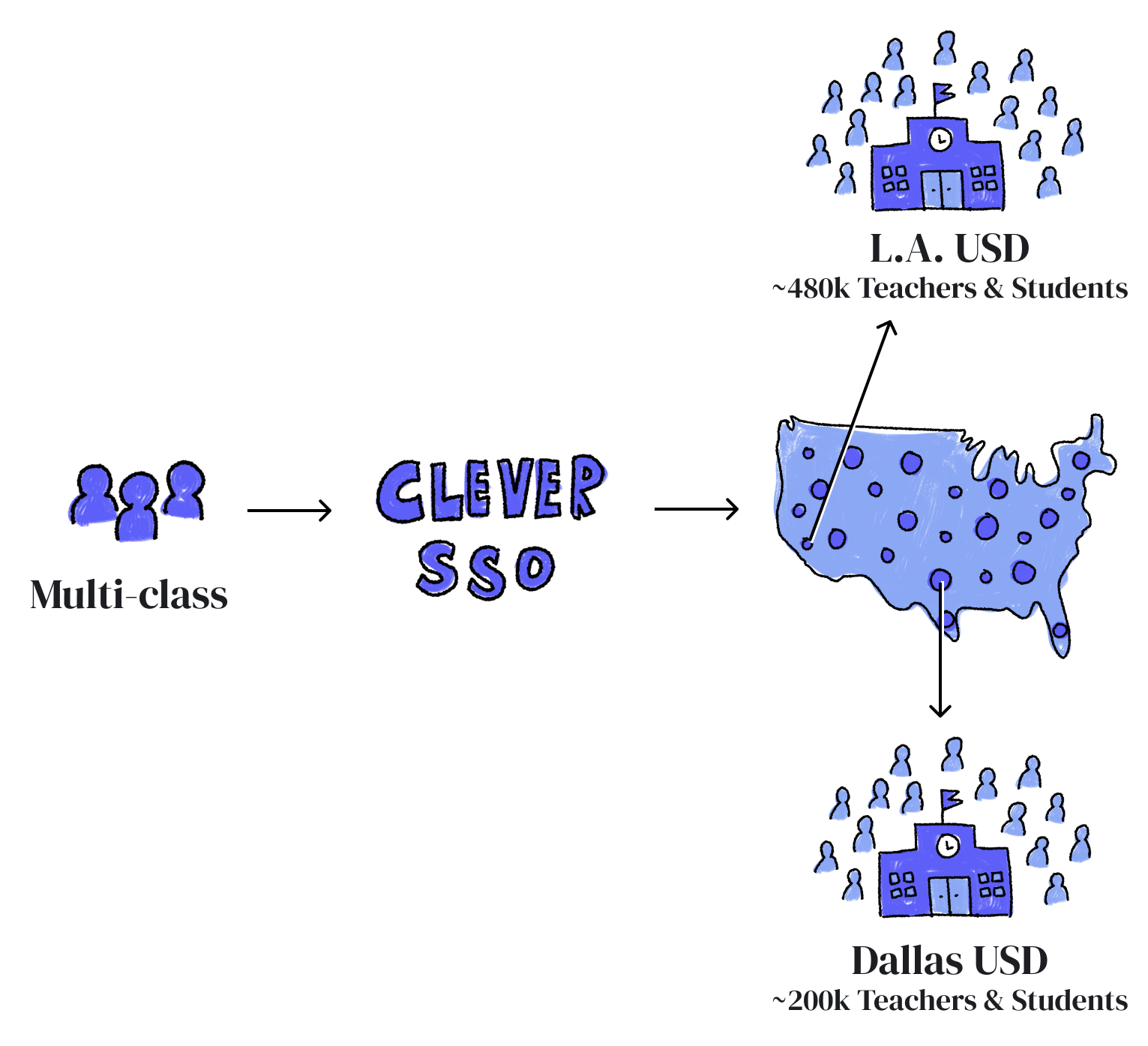
The business also wants a multi-class feature because it is the main requirement for being able to integrate with Clever (3rd party rostering app). By integrating with Clever, we'll be able to unlock some of the largest school district customers in the U.S.

We knew that we should prioritize the multi-class feature because it would bring the most impact to users as well as the business.

Problem to Solve

How might we help teachers create more than one class in
Epic School Plus?

Exploration

Restructuring for multi-class

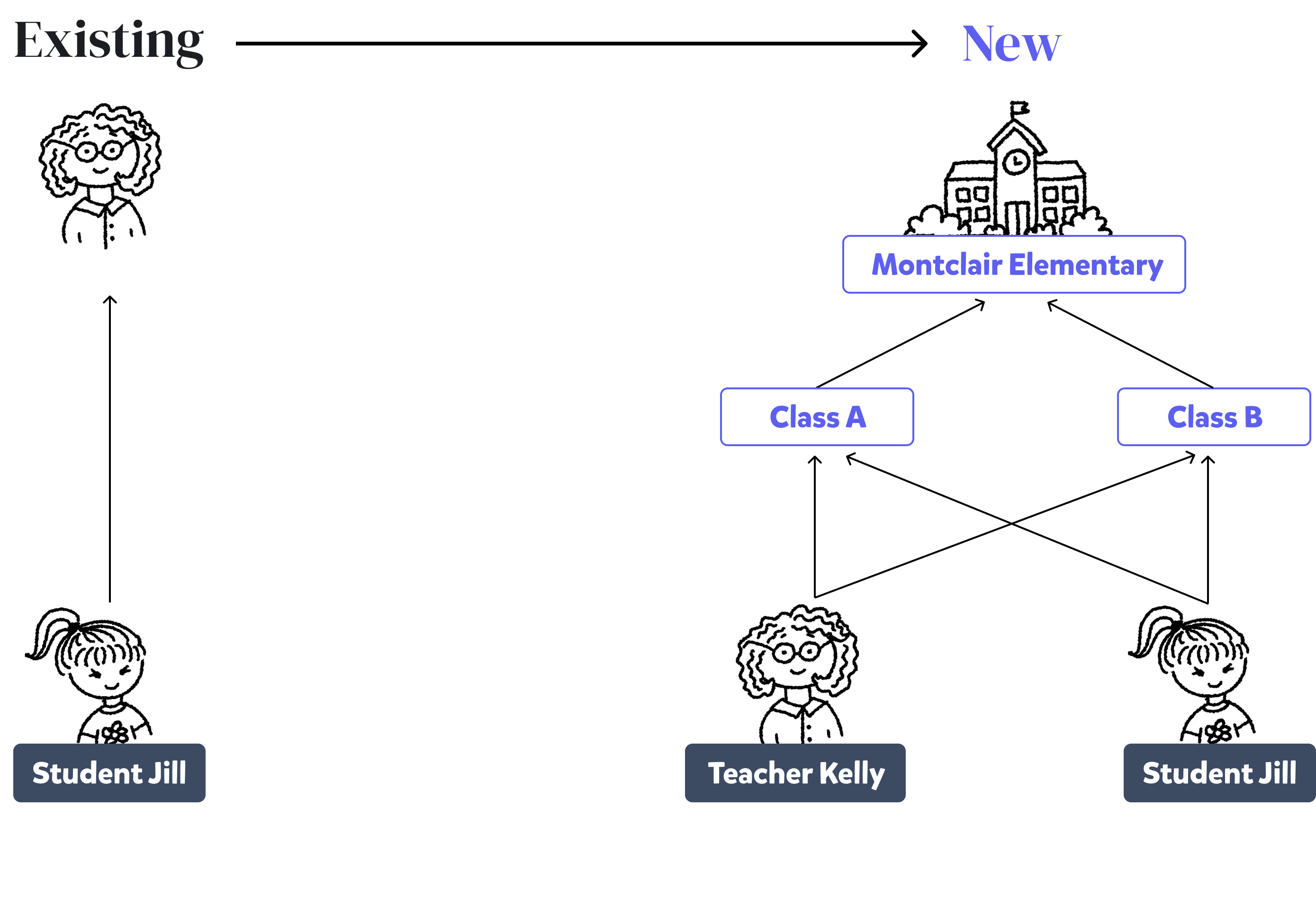
Our back end model for our existing (free) product was designed for a single user. This meant that we needed to restructure the backend data tables to allow teachers and students to be in multiple classes. I worked closely with the product manager and backend eng lead to work through all the main and edge case scenarios.

Changing Ownership

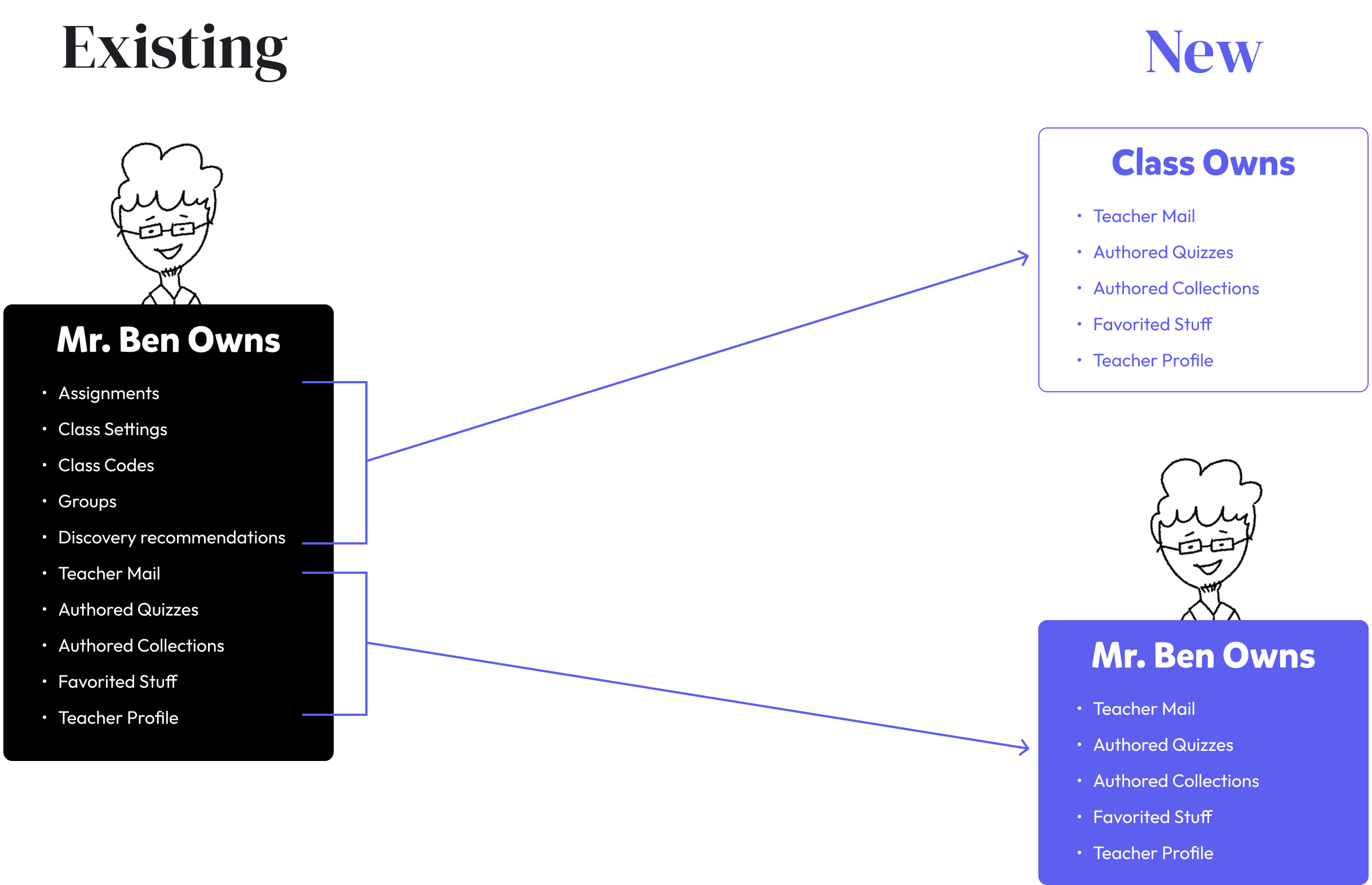
In the single class model, the teacher owned all aspects of the class including their profile, class assignments, etc. In the multi-class model, we needed to shift some of these assets away from the teacher to a new "class" entity.

Restructuring the Sitemap

I also needed to restructure the site navigation. I conducted an audit of our existing Epic School (free) product and identified areas that needed to be restructured to address a multi-class model. The new structure needed to be flexible and accommodate for one or many classes. I decided to move the "My Students" page and nested it under each new class that's created.

Sketch & Testing

Sketching

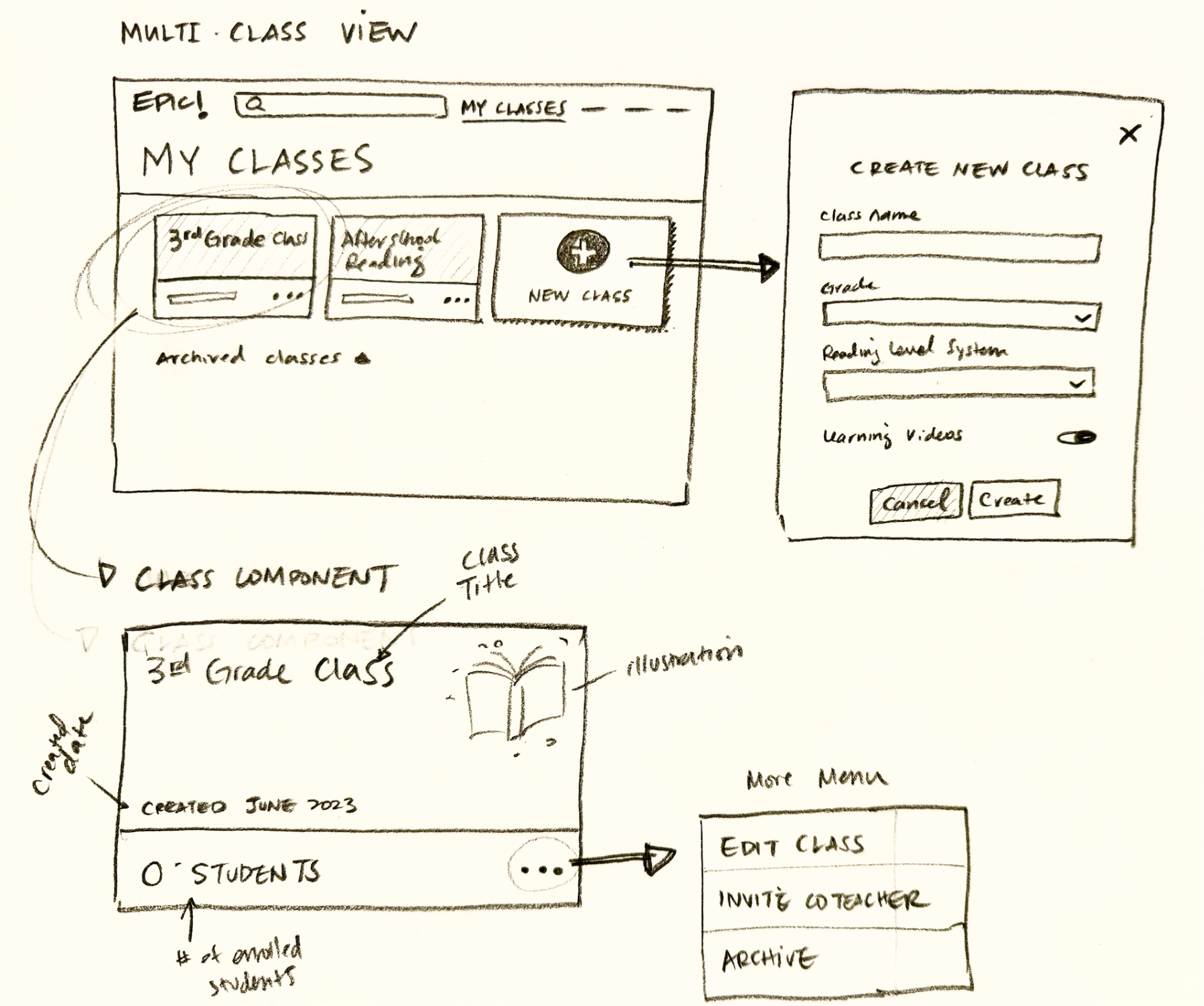
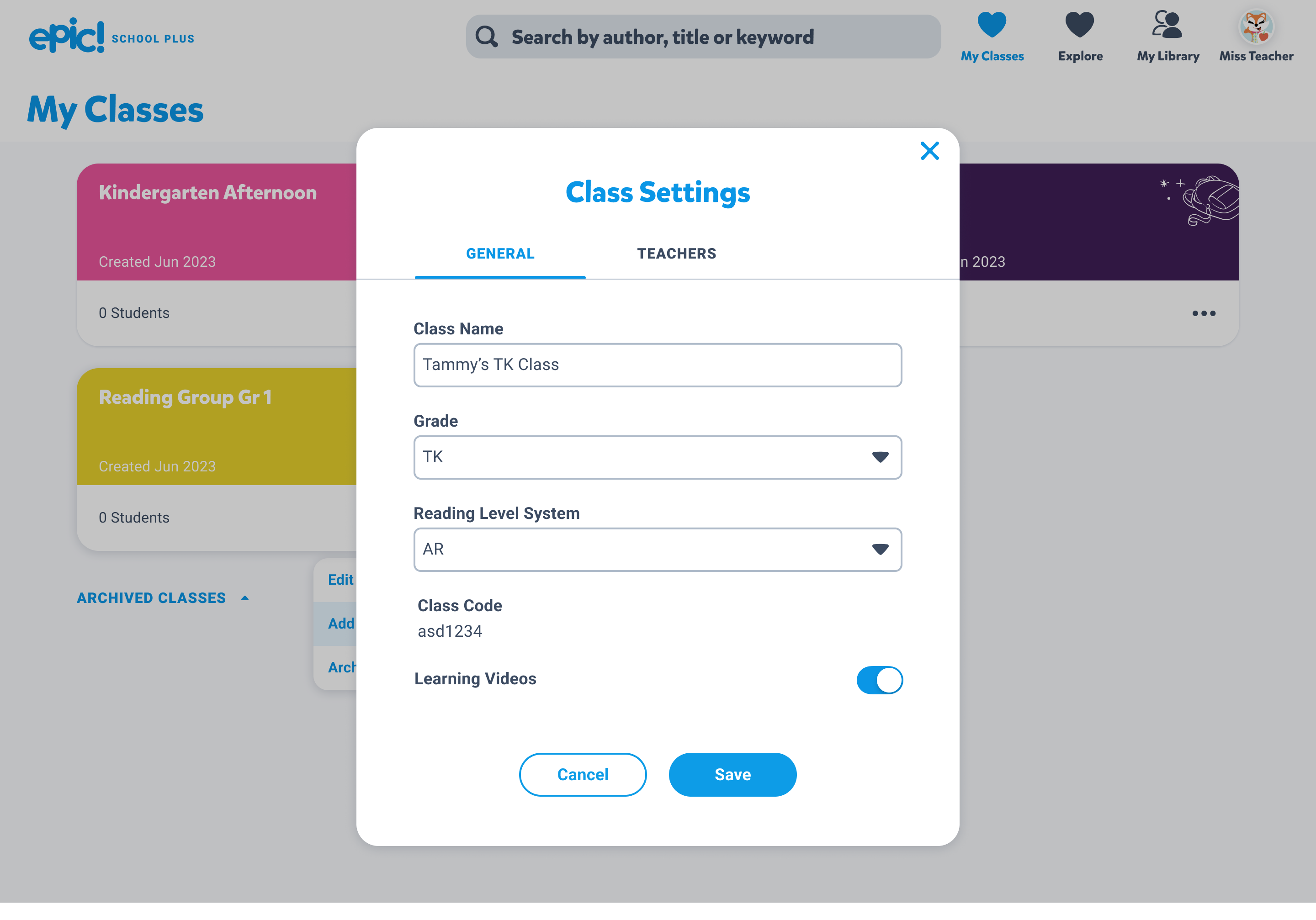
In the new multi to multi world, Mr. Ben will need to be able to accomplish tasks like managing multiple classes or adding/removing students and co-teachers from his class. I audited the existing design patterns for Epic School (free) to see what can be leveraged for the new product and researched competitor apps for inspiration. Then, I started sketching out my ideas.

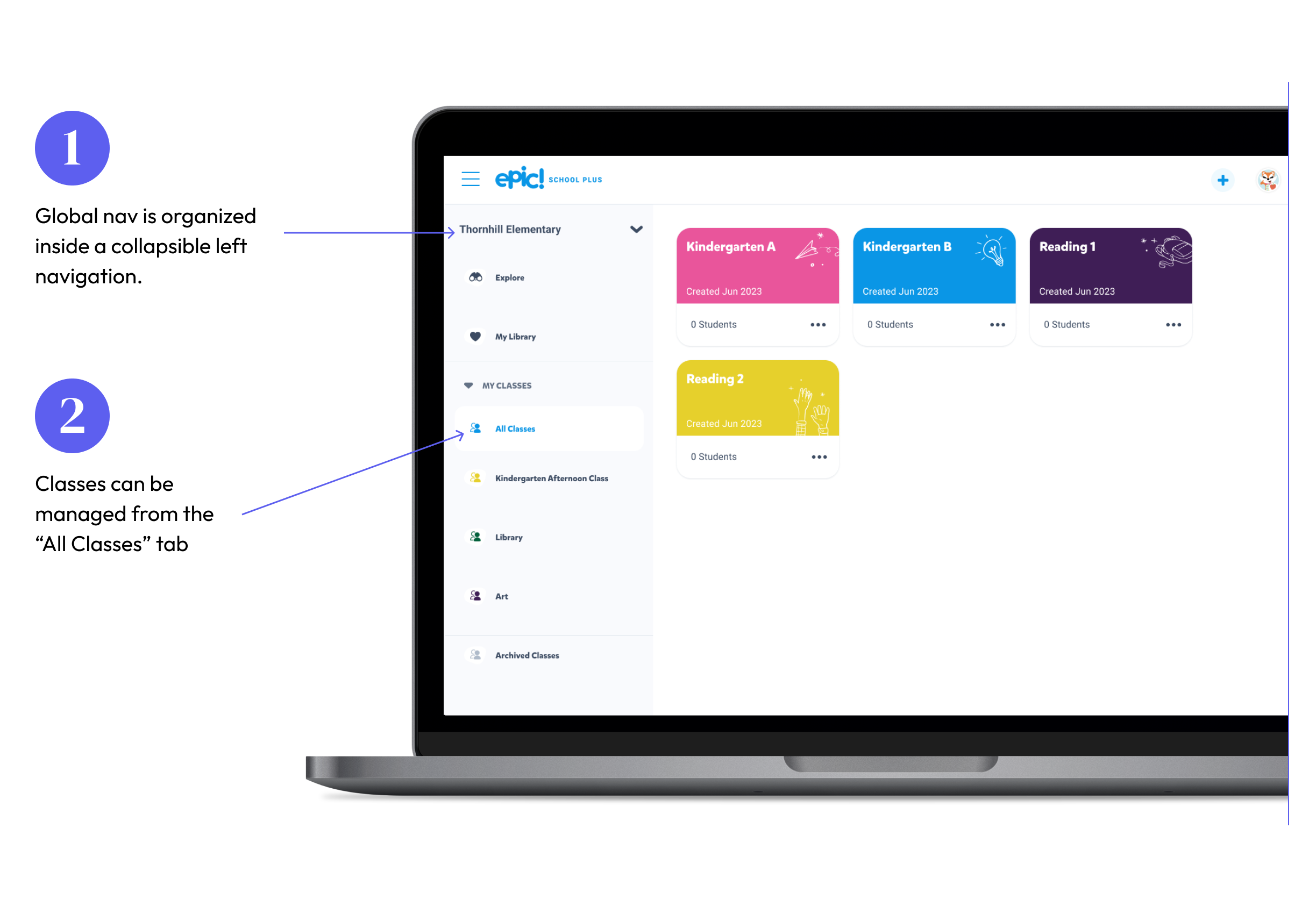
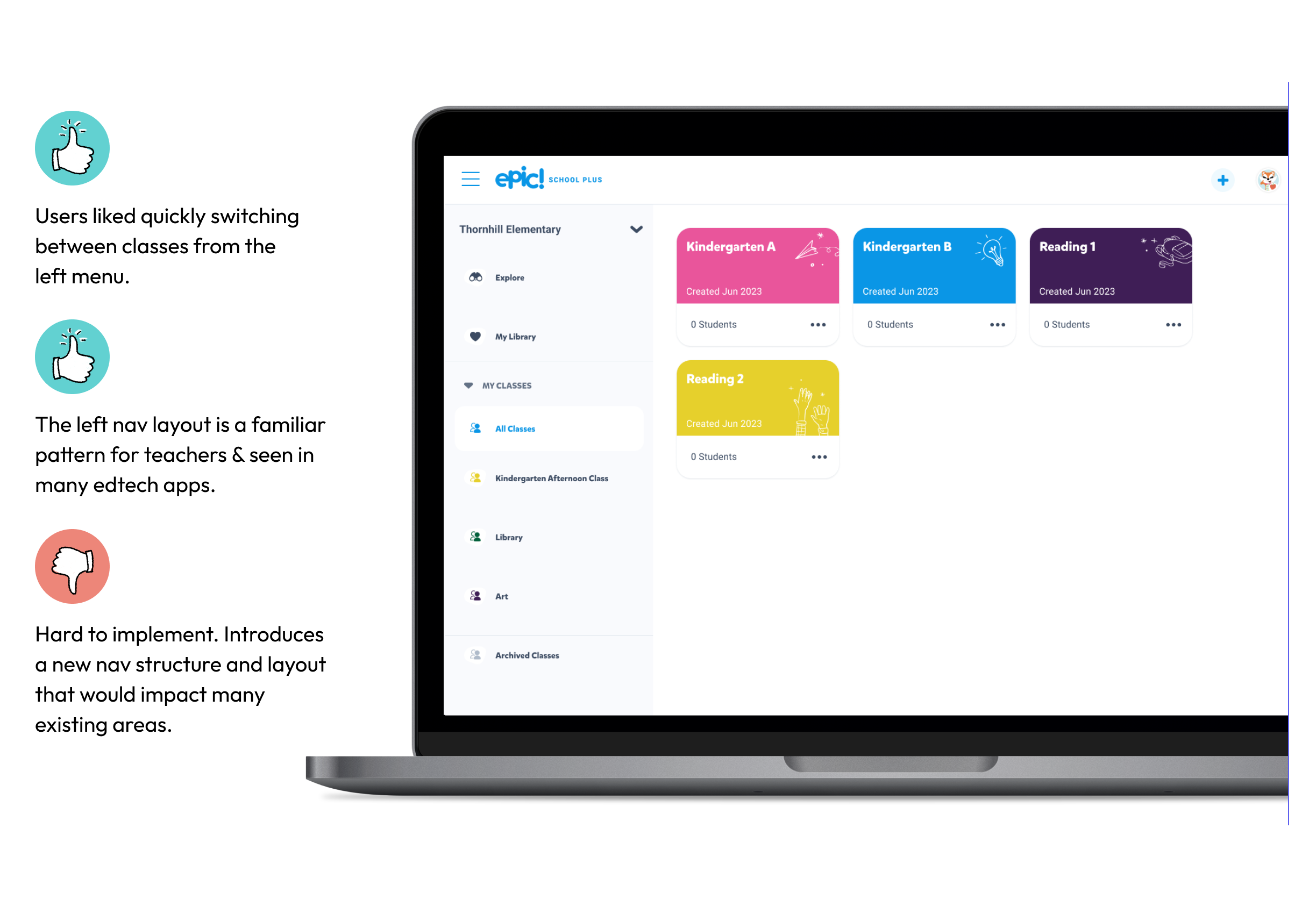
#1 "Left Nav"

Once I had a good idea of how the backend should be restructured, I did some pattern research on competitor products and started sketching. The first approach I came up with had a left hand global nav.

#1 Test Results
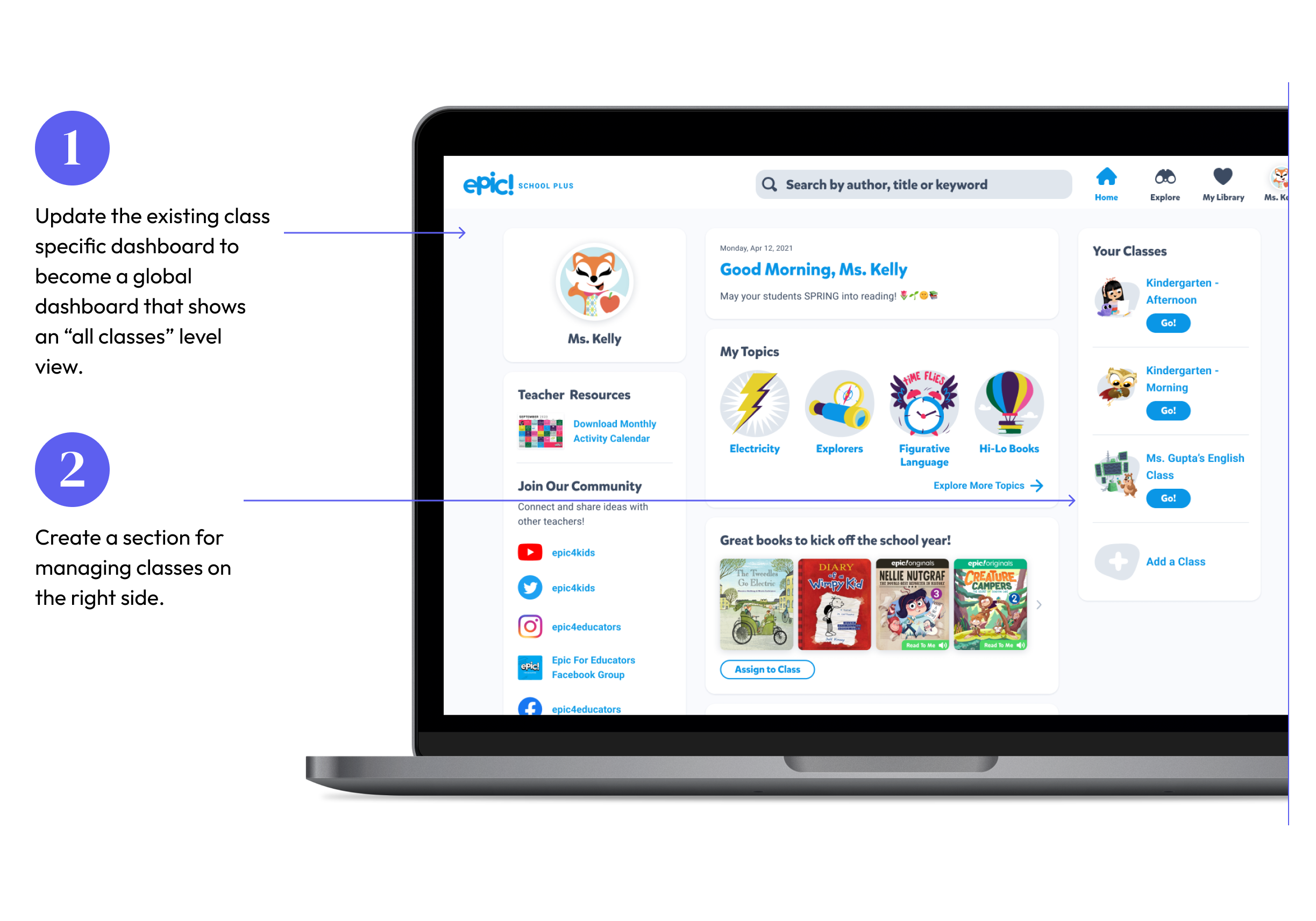
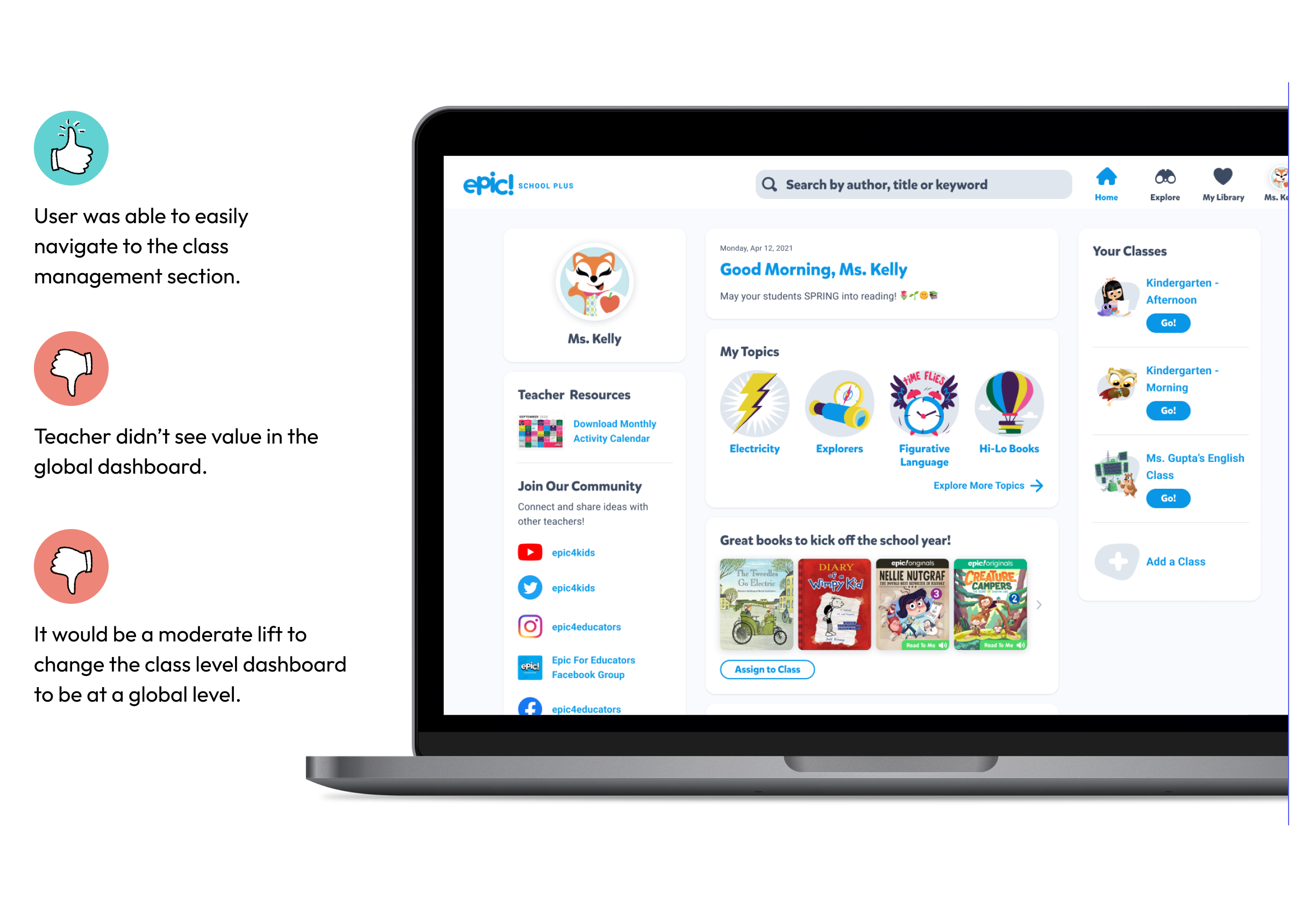
#2 "Global Dashboard"

The second approach was creating a global dashboard

#2 Test Results
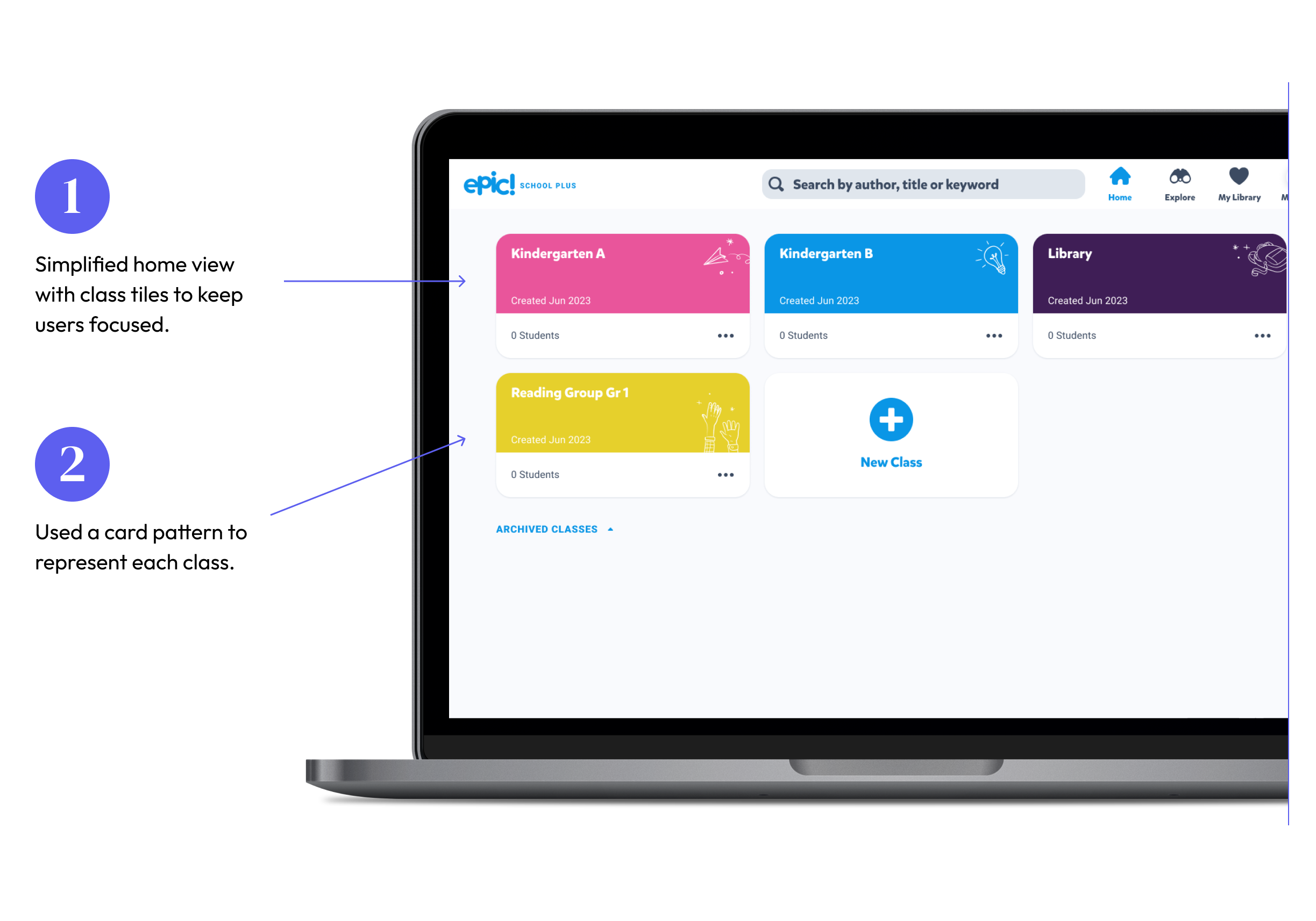
#3 "Class Portal"

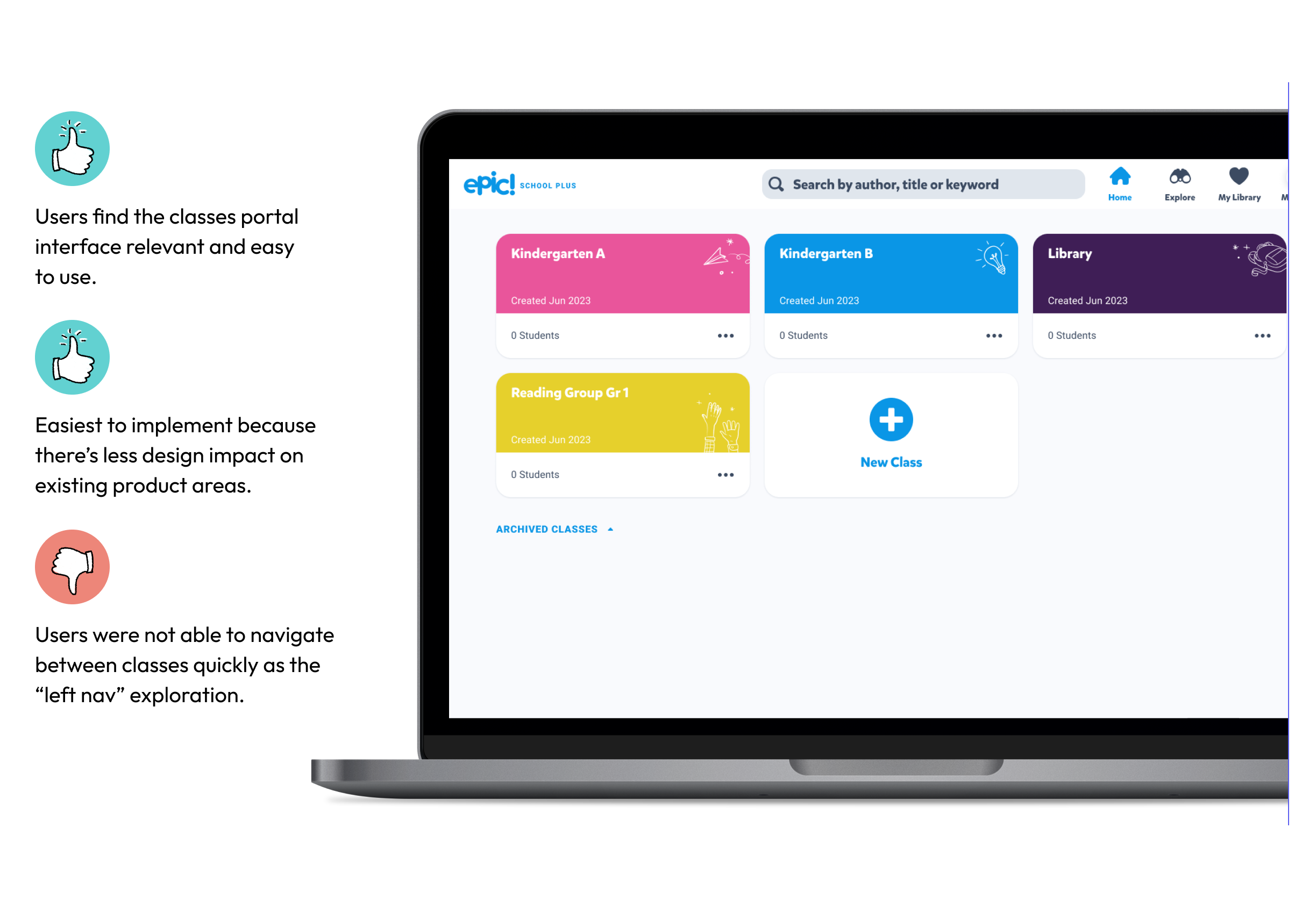
The third approach was a simplified version of the first one. I removed the left nav, kept the class tiles and reworked the original global nav at the top to work with multiple classes.

#3 Test Results

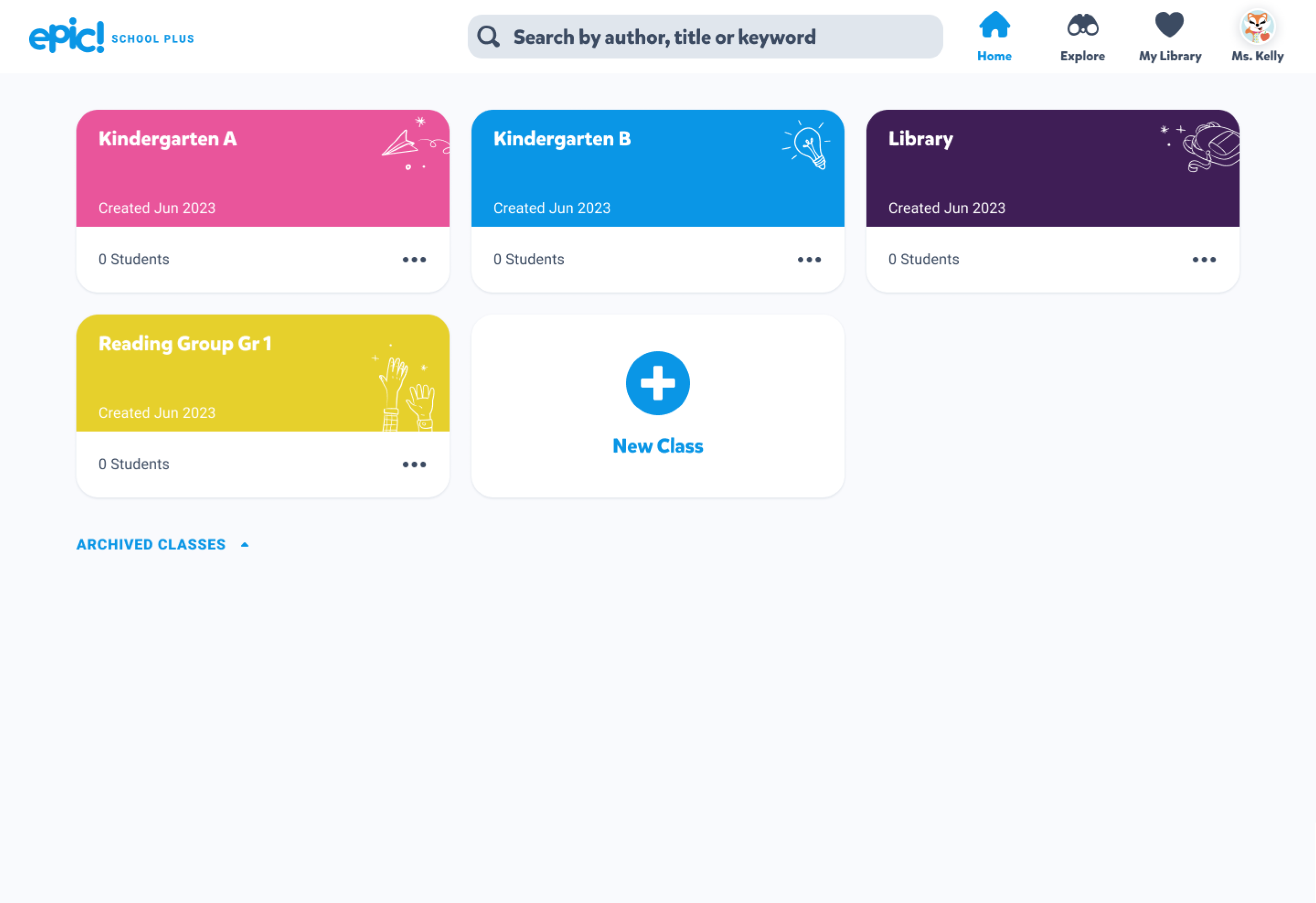
Final Prototype

Expected Results

This feature is currently in progress, but here are some goals to measure it's success.

To measure the ease of adoption of the multi-class feature, we'll want to see at least 70% of teachers with multiple classes activate two or more classes.

To measure engagement, we'll want to see that at least 68% of teachers with multiple classes return on a monthly basis.